
When you Download Mac OS X Lion from Mac App Store, before proceeding with the installation you have to follow these steps to get your own copy of Mac OS X Lion DVD to Install on your Macbook, Macbook Pro, iMac or Macbook Air on later time. Once 3.7 GB of download completed from Mac App Store you will see this screen to begin with Mac OS X Lion Installation.
Update: Learn How to create OS X El Capitan USB Disk Drive on your mac after downloading it from App Store.
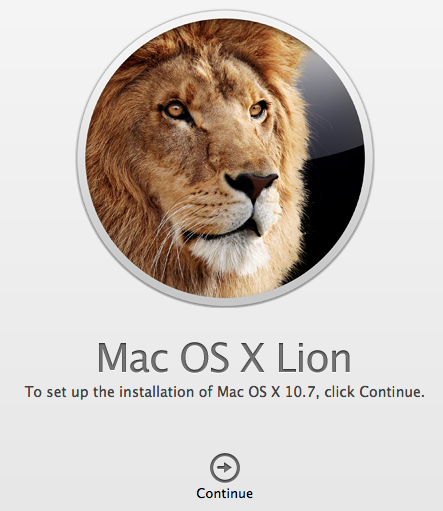 If you want to Burn Mac OS X Lion Install .dmg file on a DVD then follow the steps given below.
Parallels Desktop for Mac
Run Windows inside macOS seamlessly with Drag and Drop file transfers between Windows and Mac. Windows Apps and Games runs on Parallels smoothly. Save with your Purchase today.
Table of Contents
How to Burn Mac OS X Lion ?
Step 1: Open “Finder” Window and navigate to /Applications/Install Mac OS X Lion
Step 2: Do Right Click on the download file and Select “Show Package Contents“from the menu.
Step 3: Now Expand the Content Folder in New Finder Window and Open SharedSupport folder.
Step 4: Copy the InstallESD.dmg file and Paste it somewhere in the Harddisk or in Secondary Storage Devices for burning process.
That is all. Now you can use the existing CD/DVD Burning application “Disk Utility” or any other Third Party burners you have on your Mac to Burn a Copy of Mac OS X Lion to DVD.
If you complete the upgrade steps without taking a backup to a DVD then you may need to download the Mac OS X Lion image file again from Mac App Store (which is waste of bandwidth) .
Cleanmymac X
An All-In-One solution to keep your mac storage clean. Declutter, Remove Junk files, Optimise and Boost Performance.
Clean Installation of Mac OS X Lion
This method can help you do a Clean Installation of Mac OS X Lion in case of any problem in future.
You may also like to Read:
Recently DVDFab has released DVD Converters, Copy, Rippers and Bluray Rippers, 2D to 3D converter software for Mac OS X Platform. You may find this set of software to convert and store your favorite movies from discs to your computer. We do have an attractive 25% DVDFab Discount Coupon Code to save you some cash.
You may follow us on Twitter or like us at Facebook to get more Mac OS X, Apple updates.