
If iOS 27 Face ID is not working properly on your iPhone, the latest Beta 6 update may finally fix the problem. I noticed this issue after installing iOS 27 Beta 5. Sometimes when I woke up the iPhone display and tried to unlock it, Face ID did not respond immediately.
I had to swipe up to unlock using face id and go to homescreen. It prevented me from seeing the app notification previews too.
It was quite annoying because Face ID itself was configured correctly. The problem appeared randomly while unlocking the iPhone.
After updating to iOS 27 Beta 6, Face ID appears to be working normally again.

Kevio: Family Medicine Tracker
No more missing of Medications, Tests and Doctor Appointments. Let Kevio keep a track of it, and Remind you right on time. Take Prescriptions, Blood Tests, Injections right on time with Kevio.
Table of Contents
iOS 27 Face ID Not Working in Beta 5
The Face ID problem I experienced was slightly different from the usual Face ID errors.
Normally, when Face ID has trouble recognising you, the iPhone still attempts to scan your face and may eventually ask for the passcode.
With this Beta 5 bug, Face ID sometimes did not start properly when waking the display.
I would tap or wake the screen expecting Face ID to unlock the iPhone, but there was a delay or it simply wouldn’t respond as expected.
So this looked more like an iOS beta software bug than a problem with the Face ID hardware. If you are running iOS 27 Beta 5 then it is must to update right away.
iOS 27 Beta 6 Fixes the Face ID Problem
After installing Beta 6 and testing Face ID several times, I am no longer able to reproduce the same issue.
Face ID starts scanning normally when the display wakes up and the iPhone unlocks as expected.
So far, it looks like Apple has fixed or significantly improved the Face ID problem that was present in Beta 5.
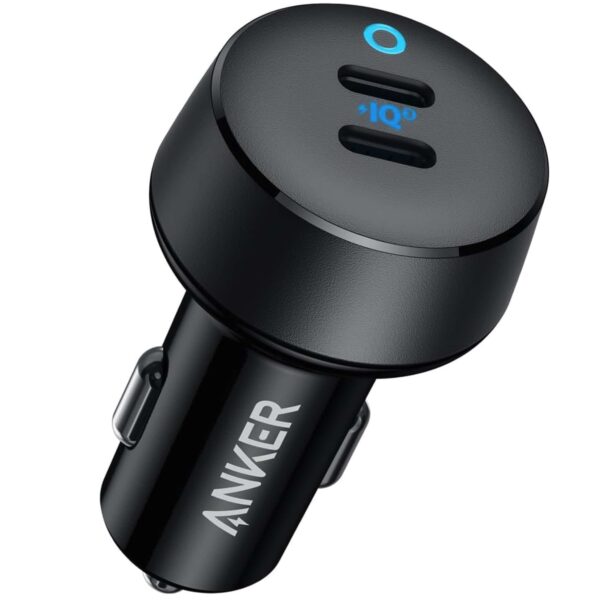
Anker USB C Car Charger
Anker USB C Car Charger 40W, 2 Port USB C, Power IQ 3.0 Adapter. iPhone 17 and other models compatible.
Affiliate link. As an Amazon Associate I earn from qualifying purchases.
How to Get the iOS 27 Face ID Not Working Fix?
If you are seeing “Face ID Disabled” error and using iOS 27 stable release? Then following these tips will help you fix, if its software related issue. otherwise, it could be hardware problem which needs a visit to Apple Service Center.
Restart your iPhone
If its temporary software glitch, then perform a simple restart of your iPhone. That will help fixing any temporary problem causing the face id to be disabled or not working issue.
Reset Face ID and Setup Again
If you are able to access Face ID controls, then reset current face id setup and you can scan your face once again and do a fresh setup of face id. That also helps to solve any face id not working correctly problem.
If you see a message saying Face ID is unavailable, or Face ID completely stops working even after restarting and updating, then its time to visit apple service center and get the device checked.
Apple may replace just the face id module in some countries or proceed with entire iPhone replacement. You have to check the warranty status, applecare plus or additional cost details, before proceeding with the Replacement.
Affiliate link. As an Amazon Associate I earn from qualifying purchases.
Should You Install iOS 27 Beta 6?
If you are already using iOS 27 Beta 5, I think Beta 6 is worth installing.
Beta updates normally include bug fixes and refinements as Apple gets closer to the final release.
More importantly, if you were experiencing the same Face ID unlocking issue, Beta 6 appears to fix it.
Keep in mind that iOS 27 is still beta software. Other bugs, battery drain or app compatibility problems can still happen.
If this is your primary iPhone and you don’t want to deal with beta-related issues, waiting for the stable iOS 27 release is still the safer option.
If you experienced the same Face ID delay or failure while waking your iPhone, update to Beta 6 and test it again before resetting Face ID or trying more complicated troubleshooting steps.
Have you installed iOS 27 Beta 6? Let me know whether Face ID is working normally for you now.
Spensio Expense Tracker for iPhone
Track your Expenses, Subscriptions, Loans and EMIs all in One App. Try Spensio for iPhone Free today.