
If your iPhone 18 Pro or Pro Max fills up fast with photos, 4K video, or ProRes footage, an external SSD is the practical fix. The phone can record ProRes up to 4K at 120 fps straight to a compatible USB-C drive, so you keep the high-quality files without eating into the phone’s internal storage.
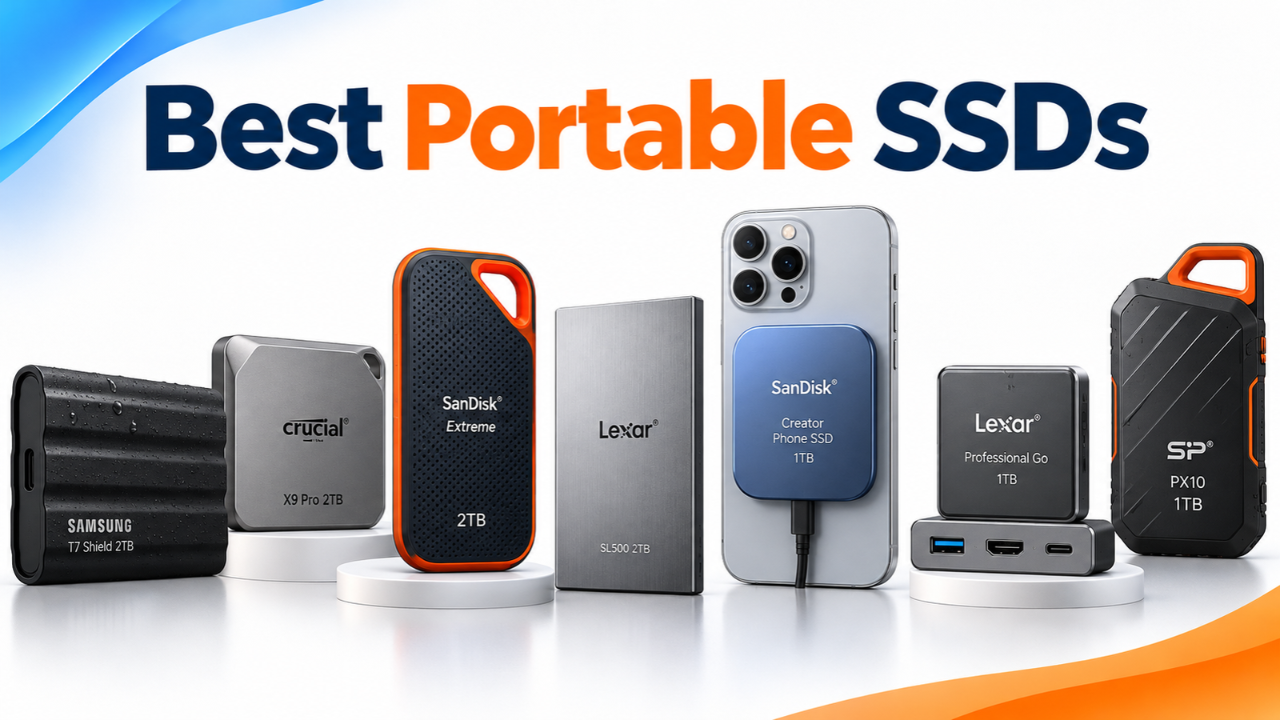
Here are the best external SSD options for iPhone 18 Pro Max and iPhone 18 Pro right now. These work well for everyday external storage, ProRes recording, and moving files to a MacBook later. Prices change often, so check the current Amazon listings before you buy.
| Product | Capacity | Key Strength | Best For |
|---|---|---|---|
| Samsung T9 | 2TB | Highest peak speed | iPhone + PC/Mac |
| Samsung T7 | 2TB | Slim and reliable | Everyday use |
| Crucial X9 Pro | 2TB | Very compact | Pocket-friendly |
| SanDisk Extreme | 2TB | Tough and durable | Travel / outdoor |
| Lexar SL500 | 2TB | Ultra-thin + 20 Gbps | iPhone + PC/Mac |
| SanDisk Creator | 1TB | MagSafe ready | Phone-mounted |
| Lexar Go + Hub | 1TB | Comes with hub | Mobile filmmakers |
| Silicon Power PX10 | 1TB | Budget compact | Light use |
Table of Contents
What to Look for in an External SSD for iPhone 18 Pro
Apple requires a few things for direct ProRes recording on the iPhone 18 Pro models:
- The drive must be formatted as exFAT.
- Password-encrypted drives are not supported for direct recording.
- Use a USB 3 cable rated for at least 10 Gb/s.
- The drive should sustain at least 220 MB/s write for 4K 60 fps ProRes, and at least 440 MB/s for 4K 120 fps.
Most of the drives below easily clear those speeds with their USB 3.2 Gen 2 (10 Gbps) connection. Faster USB 3.2 Gen 2×2 drives hit their top 20 Gb/s speeds on compatible Windows PCs, while both the iPhone 18 Pro and Apple Silicon MacBooks cap them at 10 Gb/s (roughly 1,000 MB/s). If you want 2,000+ MB/s on a Mac, check our guide to the fastest external SSDs for Mac and video editing. For most iPhone users, 1TB or 2TB capacity is the sweet spot.
Top 8 External SSDs for iPhone 18 Pro & Pro Max
Samsung T9 2TB Portable SSD
This is a strong top pick if you want higher peak speeds. It is rated for up to 2,000 MB/s read and about 1,950 MB/s write over USB 3.2 Gen 2×2. On an iPhone 18 Pro or Pro Max the port limits it to roughly 1,000 MB/s, which is still more than enough for ProRes 4K 120 fps.
The extra speed shines on compatible Windows PCs, while on both iPhone 18 Pro and MacBooks it runs at roughly 1,000 MB/s.
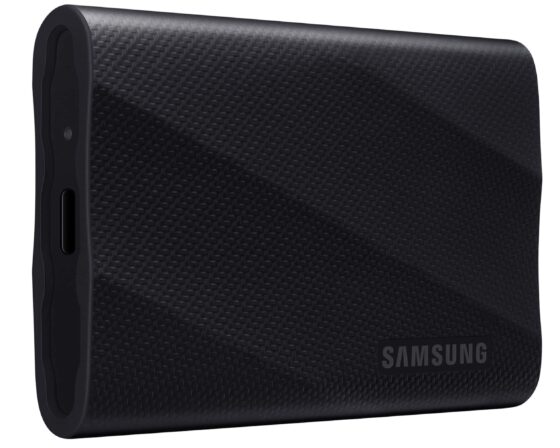
It has a rubberized exterior rated for drops up to about 3 meters and includes AES 256-bit hardware encryption (leave password protection off for direct ProRes recording).
It does not have an official IP water/dust rating like the older T7 Shield, but the tough shell still handles everyday use well. Compact size and solid build make it easy to carry for shoots or travel.
Best for: People who want a fast, durable 2TB SSD that handles iPhone ProRes smoothly and hits full 2,000 MB/s speeds on compatible Windows PCs.
Samsung T7 2TB Portable SSD
The regular T7 is a slimmer, lighter alternative. It hits up to 1,050/1,000 MB/s speeds over USB 3.2 Gen 2 and includes AES 256-bit encryption. It is drop-resistant to about 2 meters and has a metal body that feels more premium in the hand.
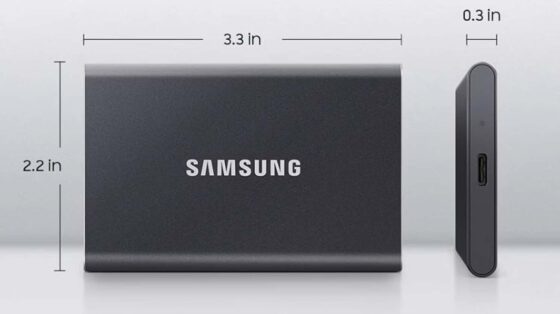
It is a good everyday external SSD for iPhone 18 Pro users who prefer a thinner profile. Transfer large video files to a Mac quickly when you get home.
Best for: Anyone looking for a compact, reliable 2TB option that balances speed and size.
Crucial X9 Pro 2TB Portable SSD
This one stands out for how small and light it is. It is rated for up to 1,050 MB/s read and write, carries an IP55 rating, and can survive drops around 2 meters. Crucial backs it with a 5-year warranty, which is longer than most.
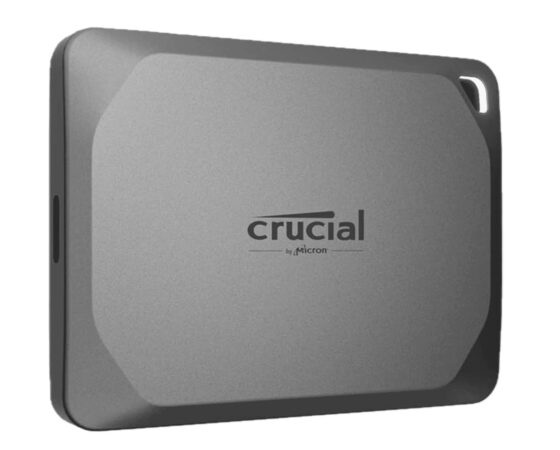
It is a solid compact USB-C SSD for iPhone 18 Pro users who want something that disappears in a pocket or small bag. Speeds are more than enough for ProRes recording and everyday file transfers.
Best for: People who prioritize size and weight without giving up performance.
SanDisk Extreme 2TB Portable SSD
A longtime favorite for its tough silicone shell, this drive offers up to 1,050 MB/s read and 1,000 MB/s write. It has strong drop protection (up to 3 meters on many versions) and water/dust resistance, plus AES 256-bit encryption.
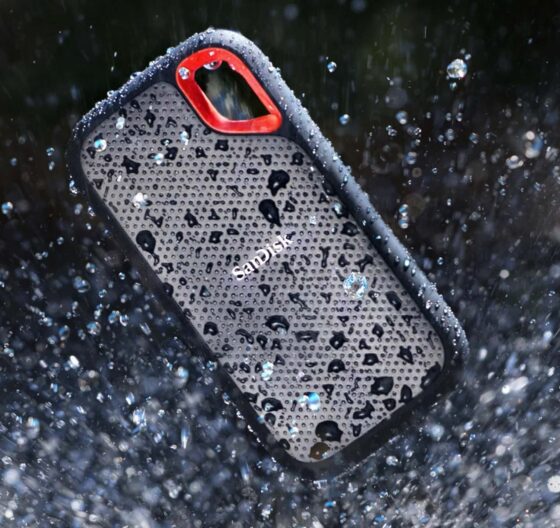
It is a dependable external storage option for iPhone 18 Pro Max owners who want something that can handle travel and outdoor use. Pair it with your MacBook for editing later.
Best for: Everyday rugged use and reliable ProRes recording.
Lexar SL500 2TB Portable SSD
This is one of the faster options in the group, with rated speeds up to 2,000 MB/s read and 1,800 MB/s write over USB 3.2 Gen 2×2. On an iPhone 18 Pro or MacBook it runs at up to 10 Gb/s (roughly 1,000 MB/s), while compatible Windows PCs can unlock its full 20 Gb/s Gen 2×2 speed.
It is extremely thin (roughly credit-card size), has IP54 protection, and supports ProRes recording on recent iPhones.
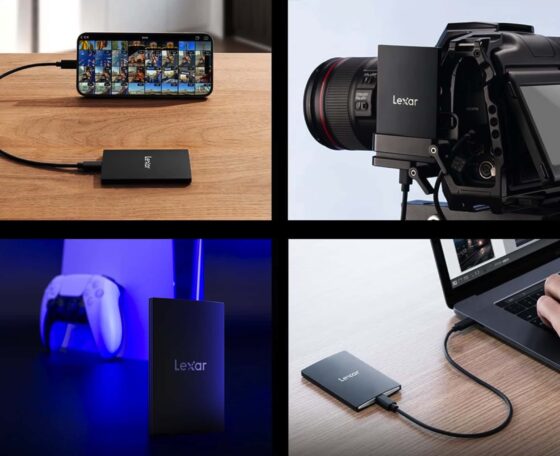
It is a strong pick if you want one drive that works well for both your iPhone 18 Pro and laptop.
Best for: Creators who want an ultra-thin, pocketable 2TB drive for iPhone ProRes recording and fast cross-platform transfers.
SanDisk 1TB Creator Phone SSD (MagSafe)
This drive is built specifically for phone use. It has a MagSafe-compatible design so it sticks to the back of your iPhone (a magnetic ring is included for other phones). Speeds reach up to about 1,000 MB/s read and 950 MB/s write, which is plenty for ProRes recording.
It is IP65 rated with solid drop protection and comes with a silicone shell.
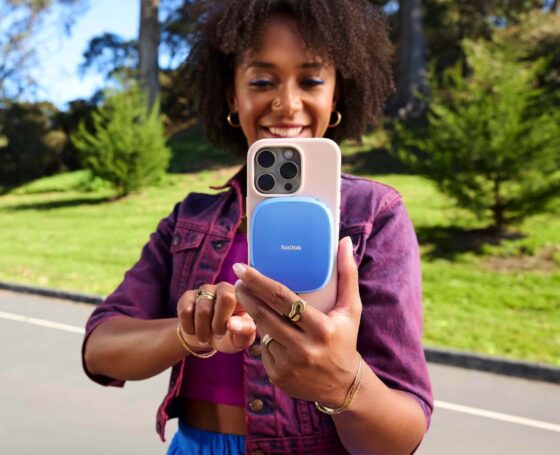
It is one of the most convenient options for shooting ProRes on the go with an iPhone 18 Pro or Pro Max because the drive stays attached instead of dangling from a cable. You still need the USB-C cable for data.
Best for: Mobile creators who want a MagSafe SSD that stays put while recording.
Lexar 1TB Professional Go Portable SSD with Hub
This kit is aimed at creators. The SSD itself is tiny (about 13 grams) and delivers up to 1,050/1,000 MB/s. The included hub gives you extra USB-C ports so you can power the phone, connect a mic, or add a light while recording. It supports ProRes 4K recording and has IP65 protection on the drive.
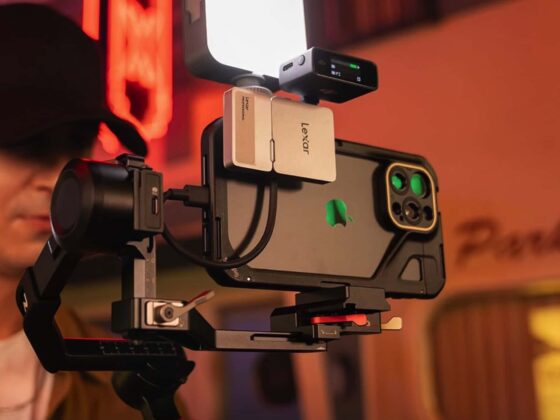
It is a thoughtful setup for people who shoot a lot of video on the iPhone 18 Pro and want a more complete mobile rig.
Best for: Serious mobile filmmakers who want the SSD plus a hub in one package.
Silicon Power PX10 1TB Portable SSD
If you want a more affordable compact USB-C SSD, this is worth a look. It is one of the thinnest and lightest options (around 33 grams) and is rated for up to 1,050 MB/s read and write over USB 3.2 Gen 2.
The aluminum body helps with heat, and it is a practical budget choice for everyday external storage or lighter ProRes use.
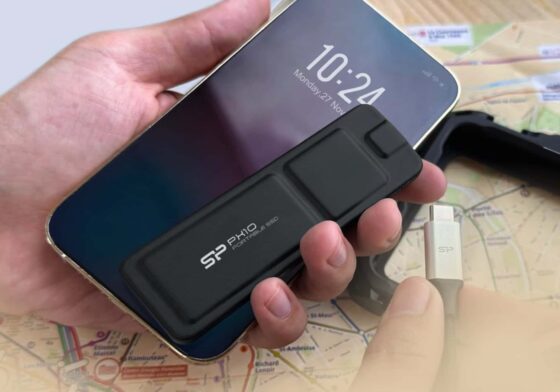
It may not have the same rugged ratings as the others, but it gets the job done for most people at a lower price.
Best for: Budget-conscious buyers who mainly need extra space and solid USB-C speeds.
Quick Tips Before You Buy
Format the drive as exFAT on a Mac or PC (or in the Files app) and leave encryption/password protection off if you plan to record ProRes directly.
Use a good USB-C cable rated for 10 Gb/s or faster. For long 4K 120 fps takes, keep an eye on heat and make sure the drive stays cool.
A 2TB drive gives you more breathing room for ProRes files, while 1TB is fine if you offload regularly. Any of these will also serve as useful external storage for your MacBook.
Frequently Asked Questions
What speed SSD do I actually need for the iPhone 18 Pro and Pro Max?
Apple asks for at least 220 MB/s sustained write for 4K 60 fps ProRes and 440 MB/s for 4K 120 fps ProRes. The iPhone 18 Pro USB-C port tops out at 10 Gb/s, so a solid 1,000 to 1,050 MB/s USB 3.2 Gen 2 drive is more than enough. You do not need a faster Gen 2×2 or Thunderbolt drive just for the phone. Keep in mind that Apple Silicon Macs do not support USB 3.2 Gen 2×2 either—so if you want faster Mac editing speeds, go for a USB4 or Thunderbolt drive instead.
Should I buy a 1TB or 2TB external SSD for iPhone 18 Pro video?
For normal 4K ProRes or photo backups, 1TB is usually plenty. If you shoot a lot of 4K 120 fps ProRes or ProRes RAW, 2TB is the safer pick. It gives you more room between offloads and better value per terabyte in most cases.
Can an external SSD bypass iPhone 18 Pro’s Pro Video Storage limit?
Yes. When you record ProRes to the phone’s internal storage, Apple reserves space under Pro Video Storage. Connect a compatible external SSD and you can record straight to the drive without locking up that internal space.
Why is my external SSD not working or showing Slow Recording Speed on iPhone 18 Pro?
Most of the time it is one of three things. The drive is not formatted as exFAT, the USB-C cable is only a charging cable (not a 10 Gb/s data cable), or the drive is drawing more power than the iPhone allows. Format it as exFAT, use the proper cable that came with the SSD, and leave any password encryption turned off.
Do I need a special cable to connect an SSD to my iPhone 18 Pro?
Yes. The USB-C cable that comes in the iPhone box is only USB 2.0 speed. Always use the 10 Gb/s cable that comes with your SSD, or a short certified 10 Gb/s USB-C data cable. A regular charging cable will not work for ProRes recording.
Still using last year’s model? Check our best external SSDs for iPhone 17 Pro and Pro Max guide.
Which one are you leaning toward for your iPhone 18 Pro or Pro Max?