
Looking for the best webcam for live streaming? With too many choices, I know its confusing to find the right one. So I hand picked few best 4k webcams with AI features which may help to end your webcam search in next few minutes.
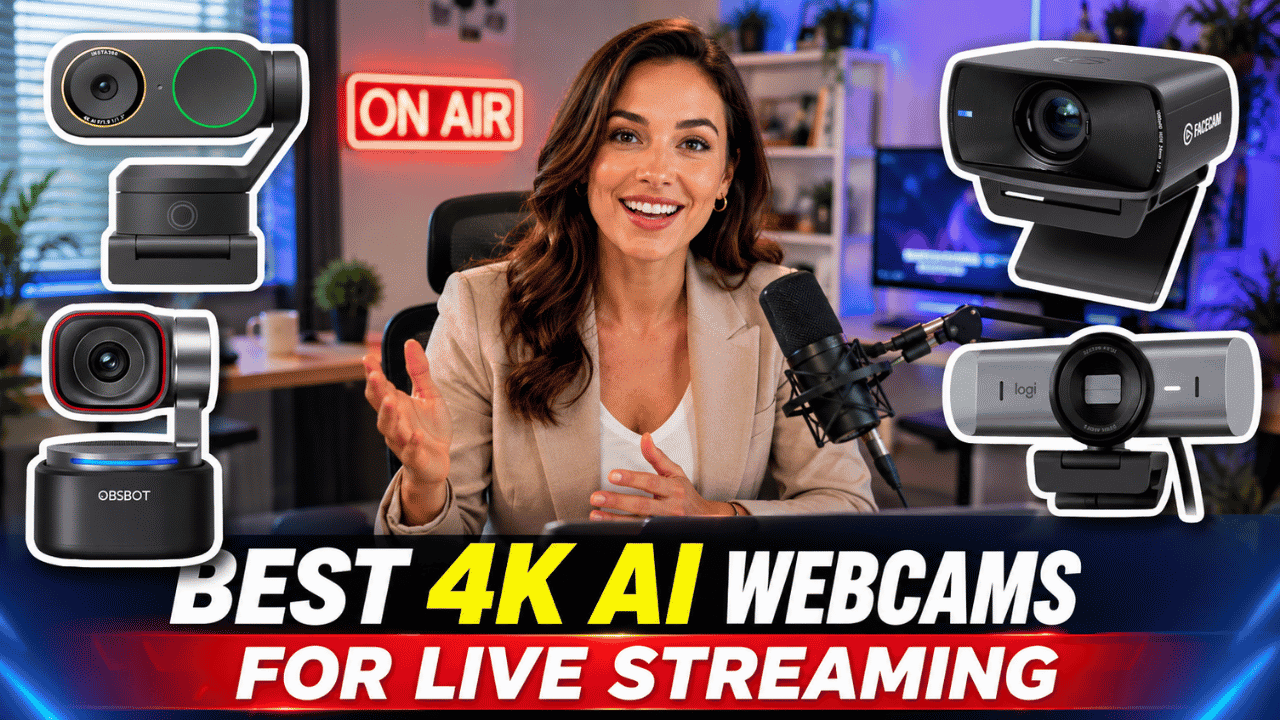
If you are planning to stream on Youtube Live, attend Zoom meetings, teach online classes, record courses or create content from your desk, then it is must to have an excellent quality webcam.
Both video and audio quality also plays a part when you deliver the message to your audience.
You do not always need a mirrorless camera or expensive studio setup. For most creators and professionals, a good 4K webcam is much easier to set up. Just connect it to your computer, open your streaming app, and you are ready to go.
It should be that simple. The latest webcams are not just simple video cameras anymore. Many of them now come with AI tracking, auto framing, better microphones, noise cancellation, privacy controls, and cleaner low light performance.
Some models can even pan and tilt automatically to follow you while you move around the room comfortable while you record showing products to your viewers.
In this list, I have selected some of the best webcams for live streaming in 2026. These are useful for creators, online teachers, Zoom users, presenters and streamers who want better video quality without complicated setup.
| Webcam | Best For | Resolution | Good For |
|---|---|---|---|
| Insta360 Link 2 Pro | Best Overall AI Webcam | 4K 30fps, 1080p 60fps | Live streaming, creators, teachers, presenters |
| OBSBOT Tiny 3 | Best Premium Tracking Webcam | 4K 30fps, 1080p 120fps | Moving presenters, product demos, studio creators |
| Insta360 Link 2C Pro | Best Fixed 4K Webcam | 4K 30fps, 1080p 60fps | Desk streaming, Zoom, YouTube, online classes |
| Elgato Facecam MK.2 | Best for OBS Streamers | 1080p 60fps | YouTube Live, OBS, gaming streams |
| Logitech MX Brio | Best Logitech 4K Webcam | 4K 30fps, 1080p 60fps | Office calls, Zoom, professional meetings |
| Anker PowerConf C200 | Best Affordable 2K Webcam | 2K 30fps | Budget users, meetings, online classes |
| OBSBOT Tiny 2 Lite | Best Value AI Tracking 4K Webcam | 4K 30fps | Teaching, presentations, budget AI tracking |
Table of Contents
Insta360 Link 2 Pro
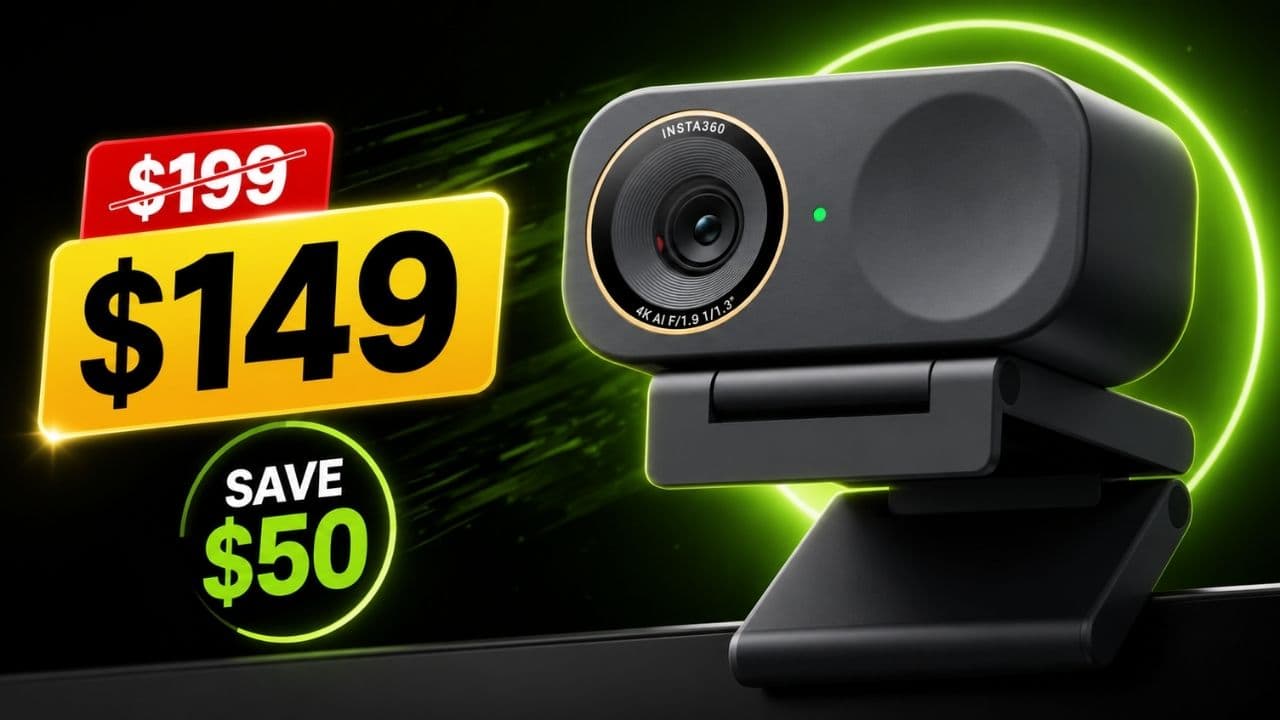
Insta360 Link 2 Pro is one of the best webcams for live streaming if you want high quality video and smart AI tracking in one compact setup.
The biggest advantage is the 2-axis gimbal. That means the camera can physically pan and tilt to follow you. If you move while teaching, presenting, showing a product or recording a live session, this type of tracking is very useful.
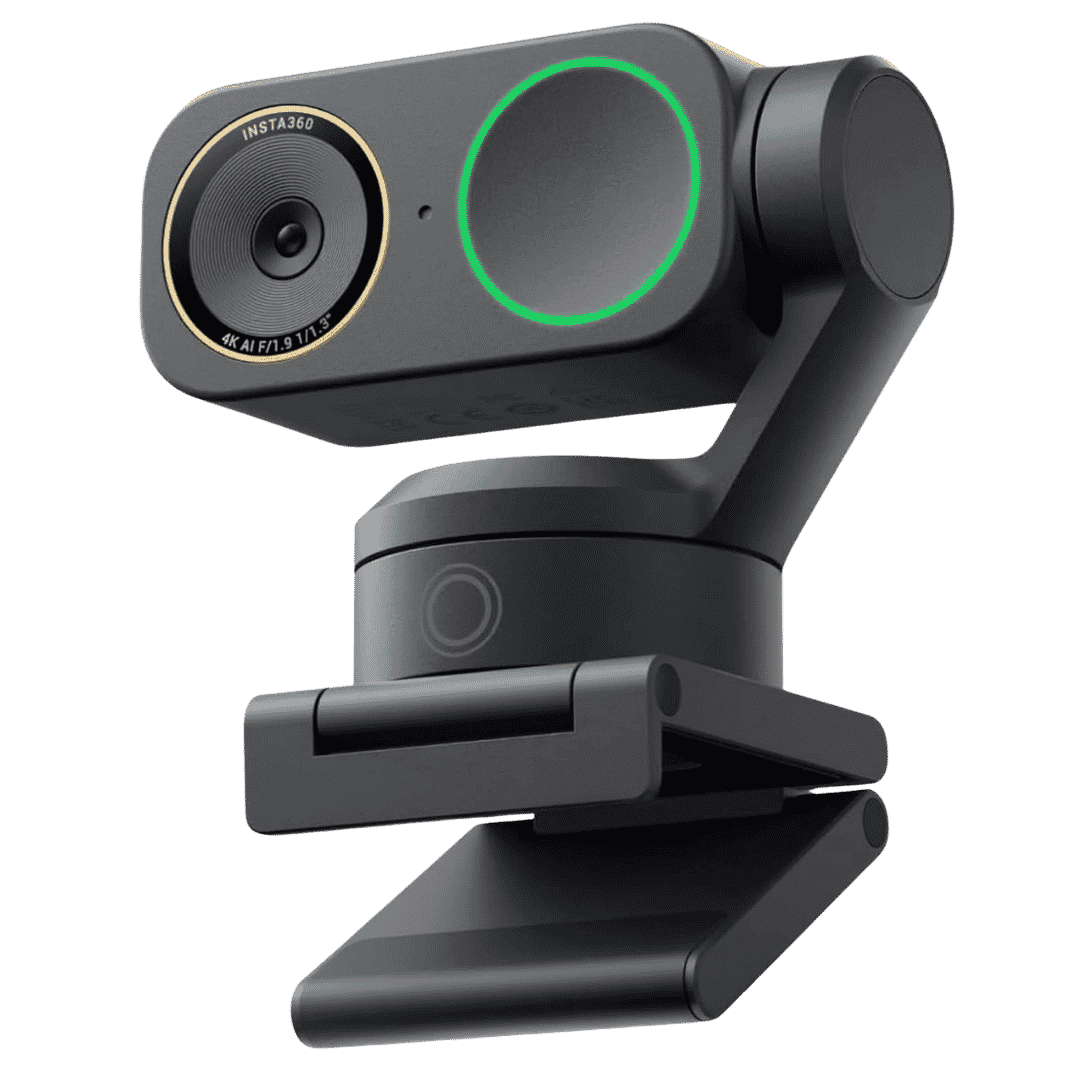
Insta360 Link 2 Pro 4K Webcam
Insta360 Link 2 Pro is a 4K Webcam for PC and Mac. 1/1.3" Sensor delivers excellent low light, AI Tracking, HDR and Directional Noise Cancelling MIcs. Supports Stream Deck, Zoom, Youtube Live, Twitch and more.
Check latest price on AmazonAffiliate link. As an Amazon Associate I earn from qualifying purchases.
It supports 4K video and also gives smooth 1080p video at 60fps. For creators who want sharper video without setting up a mirrorless camera, this is a strong option.
The Link 2 Pro is also useful for online teachers and presenters because it includes smart modes like DeskView and whiteboard support. So if you want to show your face, desk or board during a session, it feels more flexible than a normal webcam.
Key Highlights
- 4K video quality
- 2-axis gimbal with AI tracking
- Good for creators and teachers
- Useful for product demos and presentations
- Smart modes for desk and whiteboard views
- Better audio features compared to basic webcams
Pros
- Tracks your movement smoothly
- Good image quality for live streaming
- Very useful if you do not sit in one fixed position
- Works well for online teaching and presentations
- More creator-focused than regular office webcams
Things to Consider
This webcam may be more than what casual users need. If you only sit at your desk for Zoom calls, the Link 2C Pro may be enough. Also, the gimbal feature is useful only if you actually move during your videos or live sessions.
Why I Recommend It
If you want the best webcam for live streaming, teaching and content creation, Insta360 Link 2 Pro is my first recommendation. It gives you sharp video, smart tracking and easy setup without moving into a full camera system.
OBSBOT Tiny 3
OBSBOT Tiny 3 is another powerful AI webcam for creators, presenters and professionals. Like the Insta360 Link 2 Pro, this camera can also move to follow the subject.
It comes with a large sensor for a webcam, 4K video quality and smooth 1080p high frame rate video. If you need a 4k webcam with better clarity and smoother motion during live streams, then you may go with OBSBOT Tony 3.
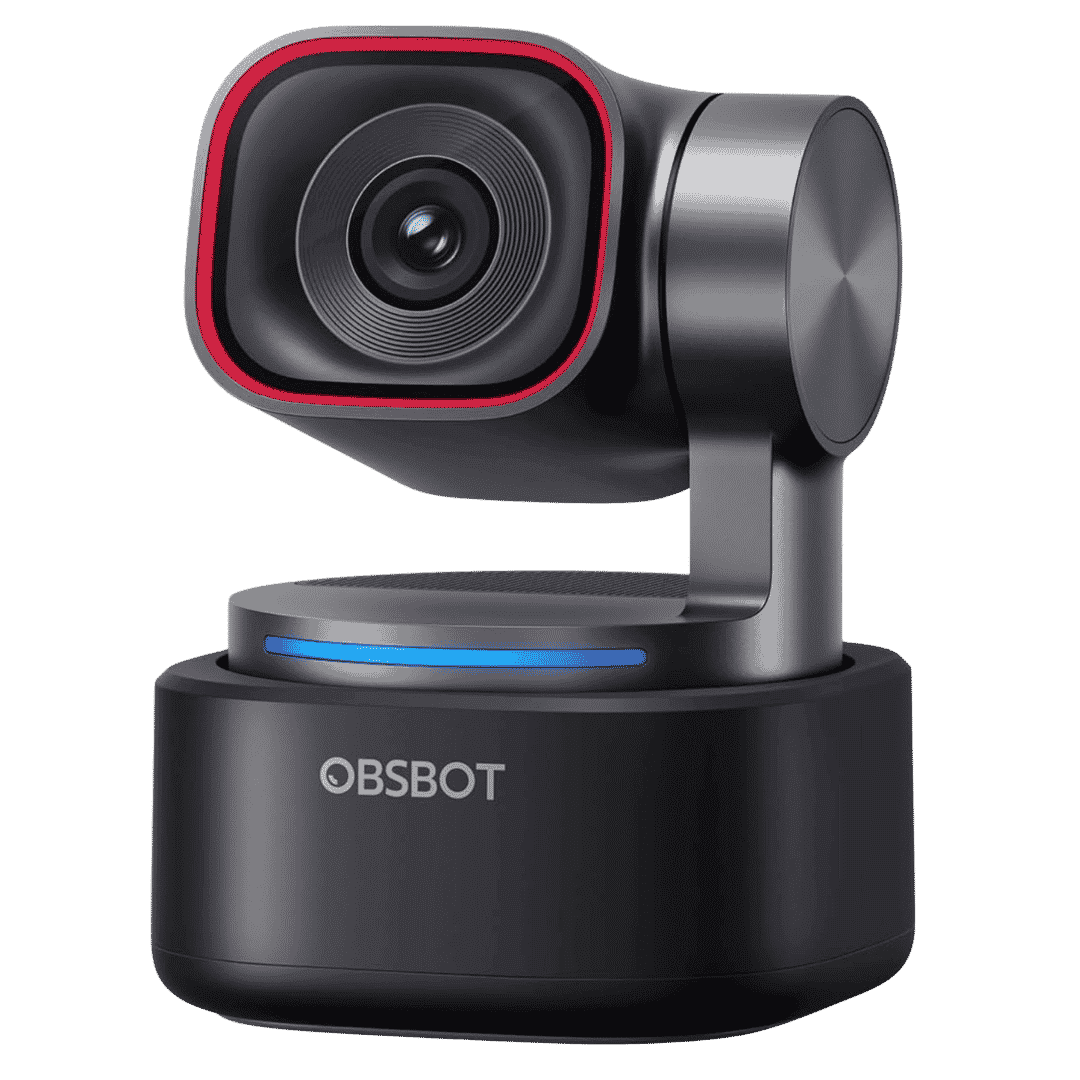
OBSBOT Tiny 3 AI 4K Webcam
AI Powered 4K Webcam with Spatial Audio, AI Tracking PTZ Camera with 1/1.28" Sensor. Tri Mic, Voice and Gesture Control. 120FPS, HDR 4K Webcam for Streaming, Meeting, Zoom, Twitch and Youtube Live.
Affiliate link. As an Amazon Associate I earn from qualifying purchases.
Product demos, teaching in front of a board and moving around your room, you will still be in focus with its AI Tracking feature.
Latest OBSBOT Tiny 3 has improved audio features and different smart modes. For people who want a premium AI powered webcam for live streaming, this is a very strong option.
Key Highlights
- 4K 30fps video
- 1080p high frame rate support
- AI tracking with pan and tilt
- Good for moving presenters
- Useful for product demos
- Compact and premium design
Pros
- Excellent for people who move while presenting
- Strong video quality
- Good tracking features
- Useful for creators and teachers
- Better suited for active live streams than fixed webcams
Things to Consider
It is expensive for casual users. If you only need a simple webcam for meetings, this may be overkill. Some user feedback also mentions that voice control and smart features may not always feel perfect, so I would mainly buy it for video quality and tracking.
Why I Recommend It
OBSBOT Tiny 3 is a good choice if you want a premium webcam that can follow you around. It is especially useful for teachers, presenters, product demo creators and people who want a smarter live streaming setup.
Insta360 Link 2C Pro
Insta360 Link 2C Pro is a very practical webcam for people who stream or record from one fixed position. This is the model I would recommend to most desk users.
It does not have a physical gimbal like the Link 2 Pro. But it still offers 4K video, improved image quality, better audio features and AI auto framing. For many people, that is more than enough.
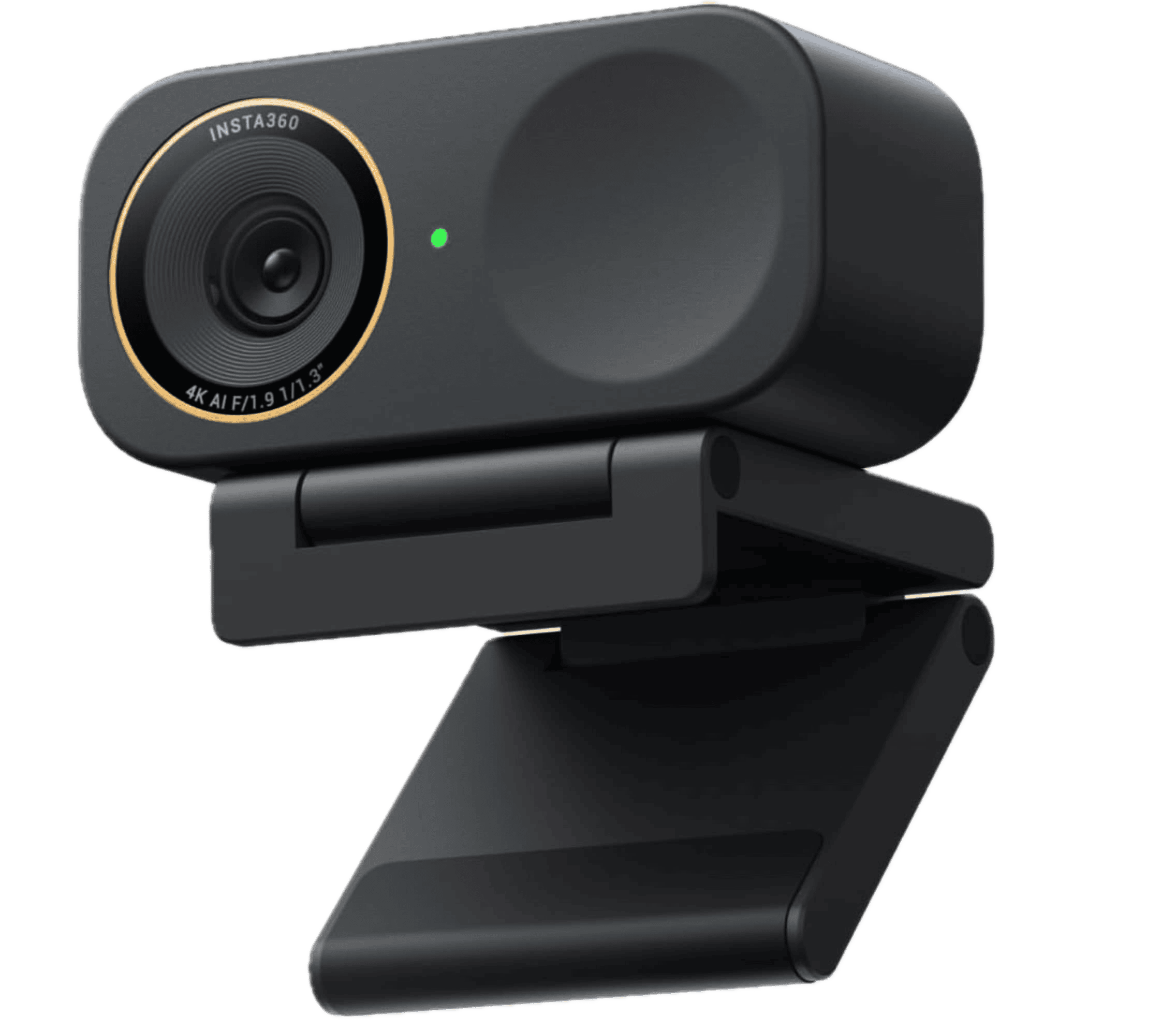
Insta360 Link 2C Pro 4K Webcam
Insta360 Link 2C Pro – 4K Webcam for PC/Mac, 1/1.3” Sensor, Low-Light, Auto Framing, HDR, Directional Noise-Canceling Mics, Supports Stream Deck, Zoom, Teams, Twitch for Streaming or Meetings
Check latest price on AmazonAffiliate link. As an Amazon Associate I earn from qualifying purchases.
If you sit in front of your monitor for Zoom calls, YouTube Live, online classes, webinars or course recording, Link 2C Pro makes a lot of sense. You get high quality video without paying extra for a moving gimbal.
The previous Insta360 Link 2C was already a good fixed 4K webcam. The newer Link 2C Pro improves the experience with better video quality, larger sensor and stronger audio features. So for 2026, this is the better model to suggest.
Key Highlights
- 4K 30fps video
- 1080p 60fps support
- Fixed compact design
- AI auto framing
- Improved audio features
- Great for desk streaming and meetings
Pros
- Good balance of price and features
- Easier to recommend than a full gimbal webcam for most users
- Very good for desk-based creators
- Useful for Zoom, YouTube and online classes
- Compact and clean looking setup
Things to Consider
There is no physical gimbal. The auto framing is digital, so when it crops in, you may lose a little quality. If you want the camera to physically follow you around the room, choose Insta360 Link 2 Pro instead.
Why I Recommend It
For most people looking for the best webcam for live streaming from a desk, Insta360 Link 2C Pro is one of the best choices. It gives you strong 4K quality, smart framing and better audio without overcomplicating the setup.
Elgato Facecam MK.2
Elgato Facecam MK.2 is made for streamers who care about manual control. If you use OBS, YouTube Live or other streaming software, this webcam fits nicely into that workflow.
It is not a 4K webcam, but that is not always a problem. Many live streams are still watched in 1080p. What matters more is clean video, stable frame rate, good lighting and proper settings.
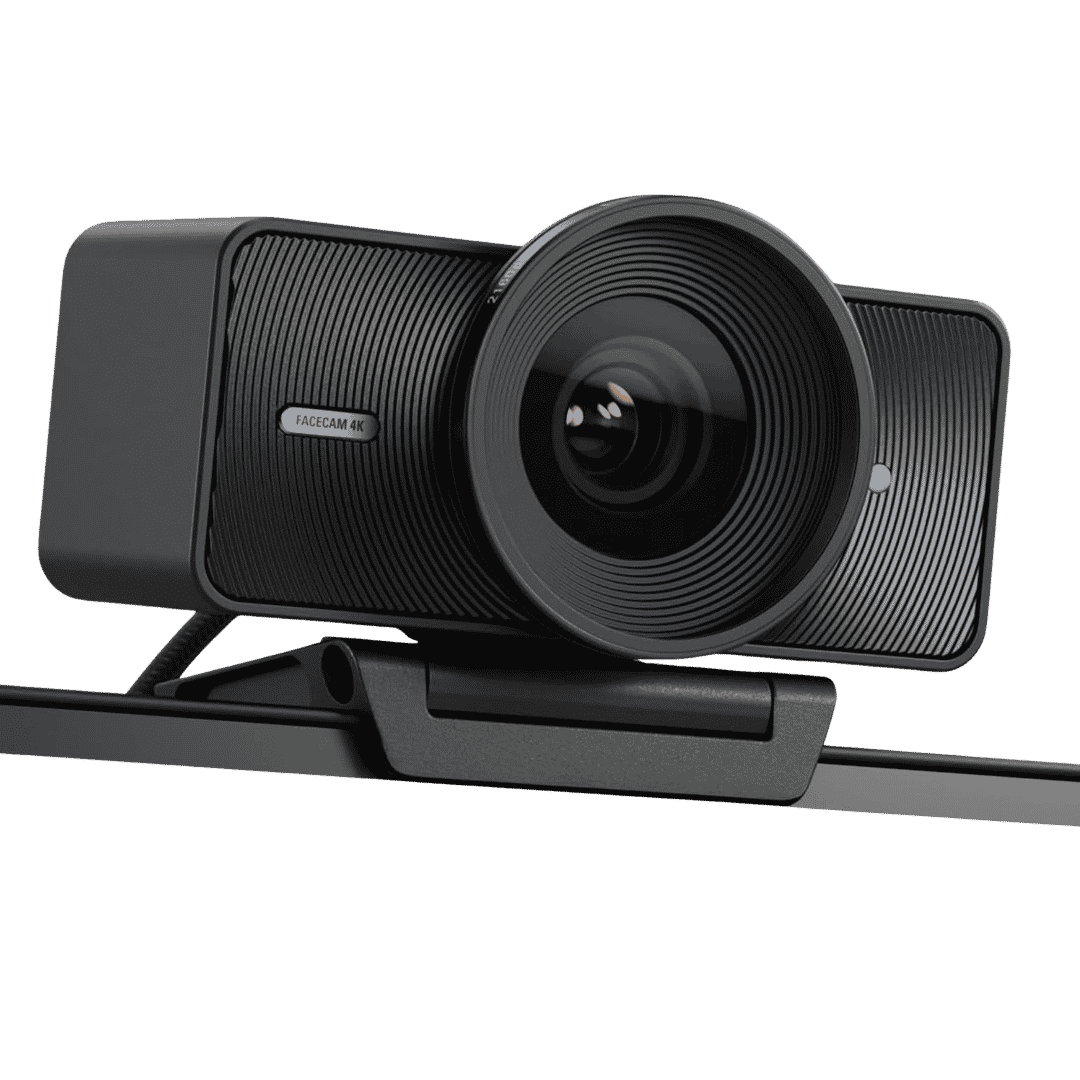
Elgato Facecam 4K Studio Webcam
4K 60 Fps Studio Webcam with Sony Sensor, DSLR Link Controls, Cinematic Effects, 49mm Lens Filters, Uncompressed Video output. Optimized Focus Area. Suitable for OBS, Zoom, Teams, Twitch and Youtube Live!.
Affiliate link. As an Amazon Associate I earn from qualifying purchases.
The Facecam MK.2 gives 1080p video at 60fps, which is good for live streaming. It is also useful if you already use a separate microphone, because many streamers prefer a dedicated mic instead of webcam audio.
This webcam is better for people who want to control the look of their video. If you are the type of creator who adjusts exposure, white balance and framing, Elgato makes sense.
Key Highlights
- 1080p 60fps video
- Good for OBS users
- Designed for streamers
- Manual image control
- Compact design
- Works well with a separate microphone setup
Pros
- Very good for streaming setups
- Smooth 1080p video
- Useful software controls
- Good for creators who already use proper lighting
- Fits well with Elgato streaming gear
Things to Consider
It is not 4K. It is also not the best choice if you want AI tracking or auto framing. If you want a plug and play webcam with smart features, Insta360 or OBSBOT may be easier.
Why I Recommend It
Elgato Facecam MK.2 is a good choice for serious streamers who use OBS and want more control over the webcam image. It is not the most advanced AI webcam, but for a clean 1080p streaming setup, it is still very useful.
Logitech MX Brio
Logitech MX Brio is a safe and reliable 4K webcam for people who want a trusted brand. It works well for Zoom meetings, office calls, online classes and live streaming.
It supports 4K video at 30fps and 1080p video at 60fps. That makes it flexible for different needs. You can use 4K when you want sharper video, or 1080p 60fps when you want smoother motion.
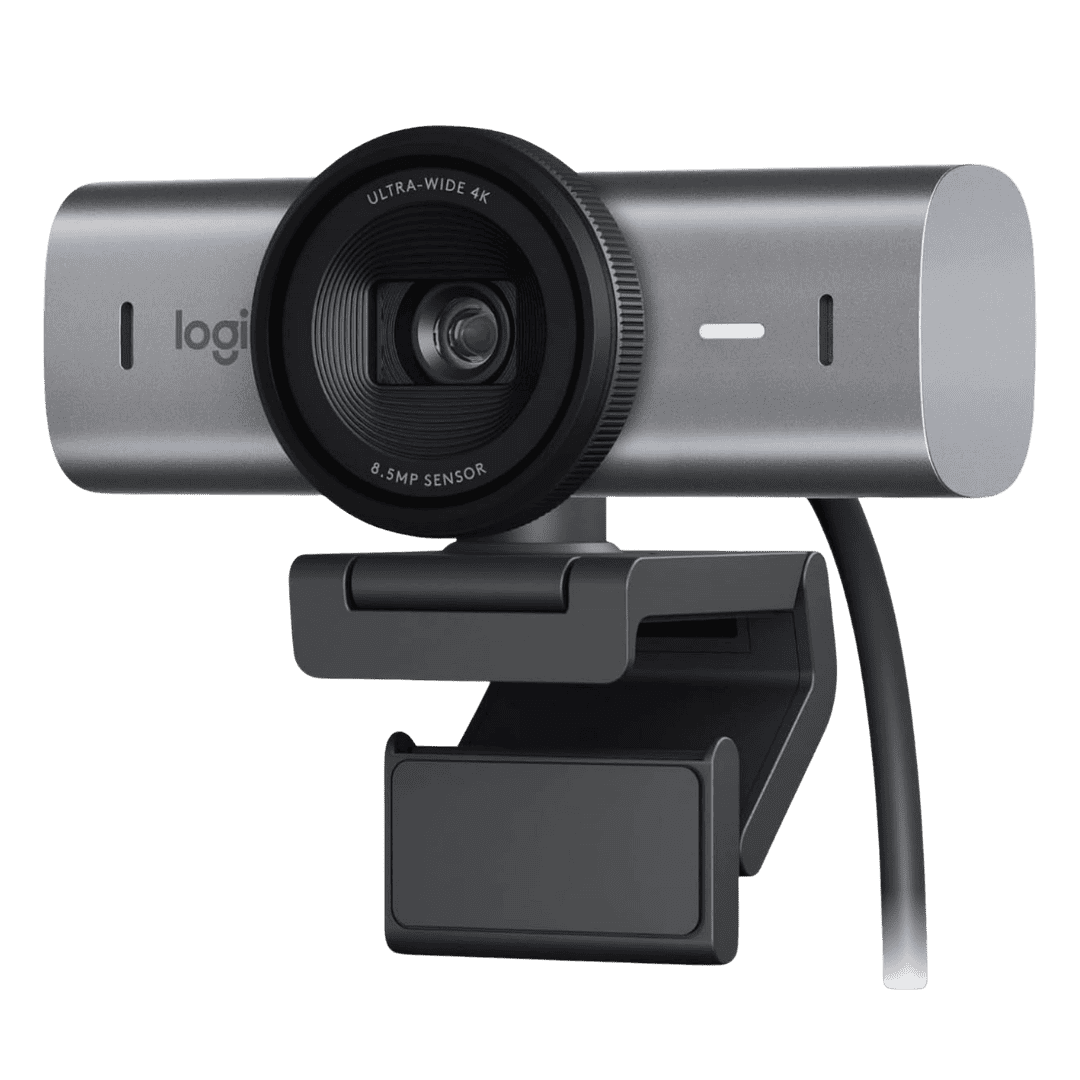
Logitech MX Brio 4K Webcam
Logitech MX Bio Ultra HD 4K Webcam for Live Streaming, Twitch, Youtube Live and Web Conference. 1080p 60FPS, Show mode and 2X better face visibility and image clarity.
Affiliate link. As an Amazon Associate I earn from qualifying purchases.
The MX Brio is not as exciting as Insta360 or OBSBOT when it comes to AI features. But Logitech webcams are usually easy to use, reliable and compatible with most apps.
If your main use is professional meetings, webinars, client calls and occasional streaming, this is a good choice.
Key Highlights
- 4K 30fps video
- 1080p 60fps support
- Built-in privacy shutter
- Good for meetings and streaming
- Reliable Logitech ecosystem
- Simple plug and play setup
Pros
- Easy to recommend for office users
- Good video quality
- Trusted brand
- Works with popular meeting and streaming apps
- Good all-round webcam
Things to Consider
It does not have a physical gimbal. It also does not feel as creator-focused as Insta360 Link 2 Pro or OBSBOT Tiny 3. If you need AI tracking, this is not the strongest option.
Why I Recommend It
Logitech MX Brio is a good webcam for people who want a reliable 4K option for work and live streaming. It may not have all the smart movement features, but it is a very practical webcam for daily use.
Anker PowerConf C200
Anker PowerConf C200 is a good option if you want better quality than a basic 1080p webcam, but do not want to spend money on a premium 4K webcams. Just something affordable price range and delivers 2K video quality output.
This is enough for most video calls, online classes and basic live streaming.
You will get Privacy Cover as well, which is really useful if you keep the webcam connected most of the time in your computer. No need to worry about privacy risks.
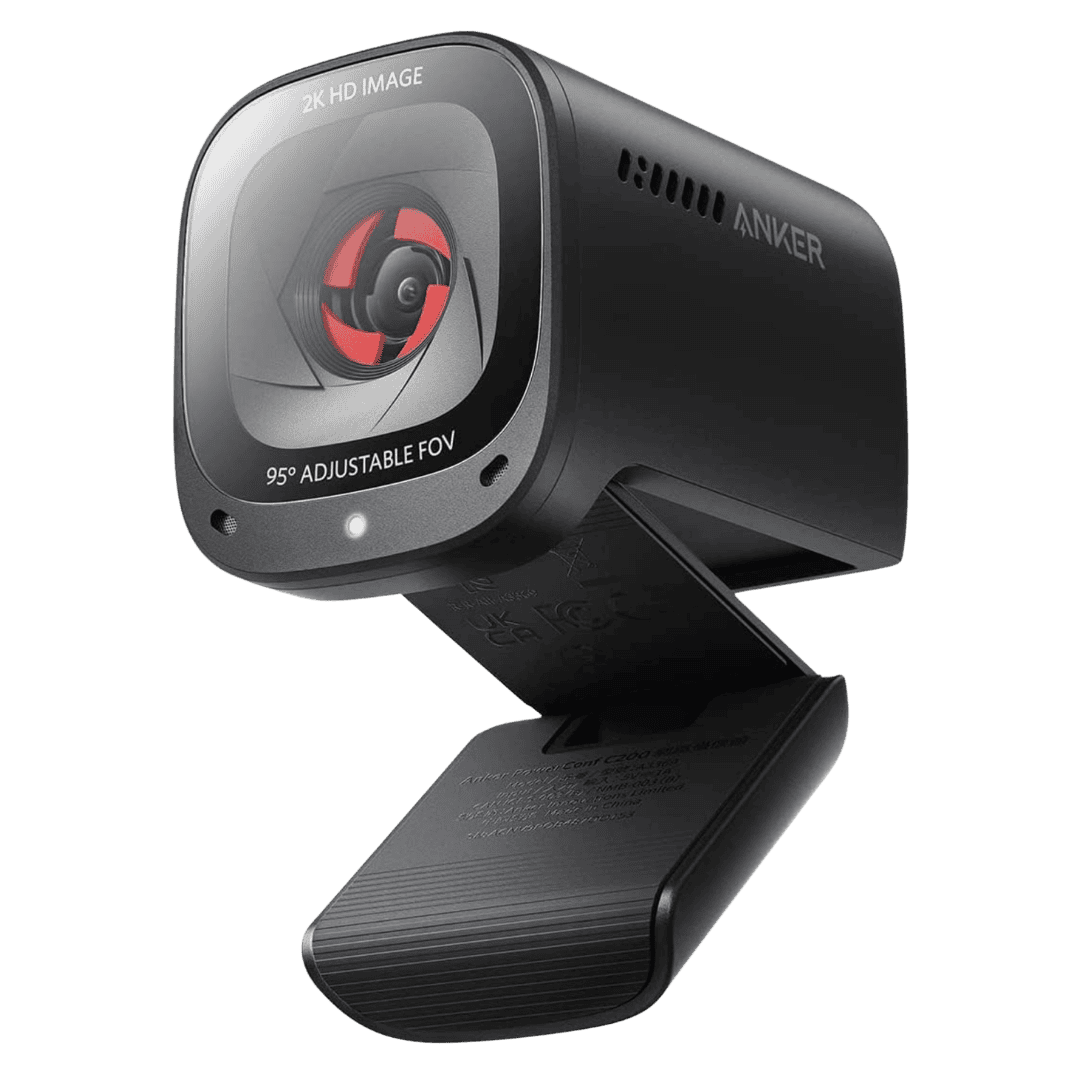
Anker PowerConf C200 2K Webcam
Anker PowerConf C200 is a 2K Webcam. Low Light Correction, AI Noise Cancelling Mics, Adjustable Field of View, Privacy Cover and Stereo Mics best suitable for Meetings.
Affiliate link. As an Amazon Associate I earn from qualifying purchases.
This is not a camera for serious streamers. But for students, office users, online teachers and beginners, it is a very practical choice.
The C200 is also good if you are upgrading from a laptop webcam. You will likely see better clarity, better framing and a cleaner video feed.
Key Highlights
- 2K video quality
- Affordable price
- Built-in privacy cover
- Good for Zoom and online classes
- Easy and Simple to setup
- Better than most laptop webcams
Pros
- Good value for the price
- Useful for daily meetings
- Privacy cover is helpful
- Better clarity than many cheap webcams
- Simple option for beginners
Things to Consider
It is not a 4K webcam. It also does not offer advanced AI tracking or creator-focused controls. If live streaming is your main work, you may want to choose Insta360, OBSBOT or Elgato.
Why I Recommend It
Anker PowerConf C200 is a good affordable webcam for people who want better video quality without spending too much. It is best for meetings, online classes and casual live streaming purposes.
OBSBOT Tiny 2 Lite
OBSBOT Tiny 2 Lite is a good option if you want 4K video and AI tracking, but do not want to spend on the more expensive Tiny 3.
It is useful for online teachers, presenters and creators who want the camera to follow them. The tracking feature makes it more flexible than a fixed webcam, especially if you move during your videos or live sessions to use White Board or Showcase some products.
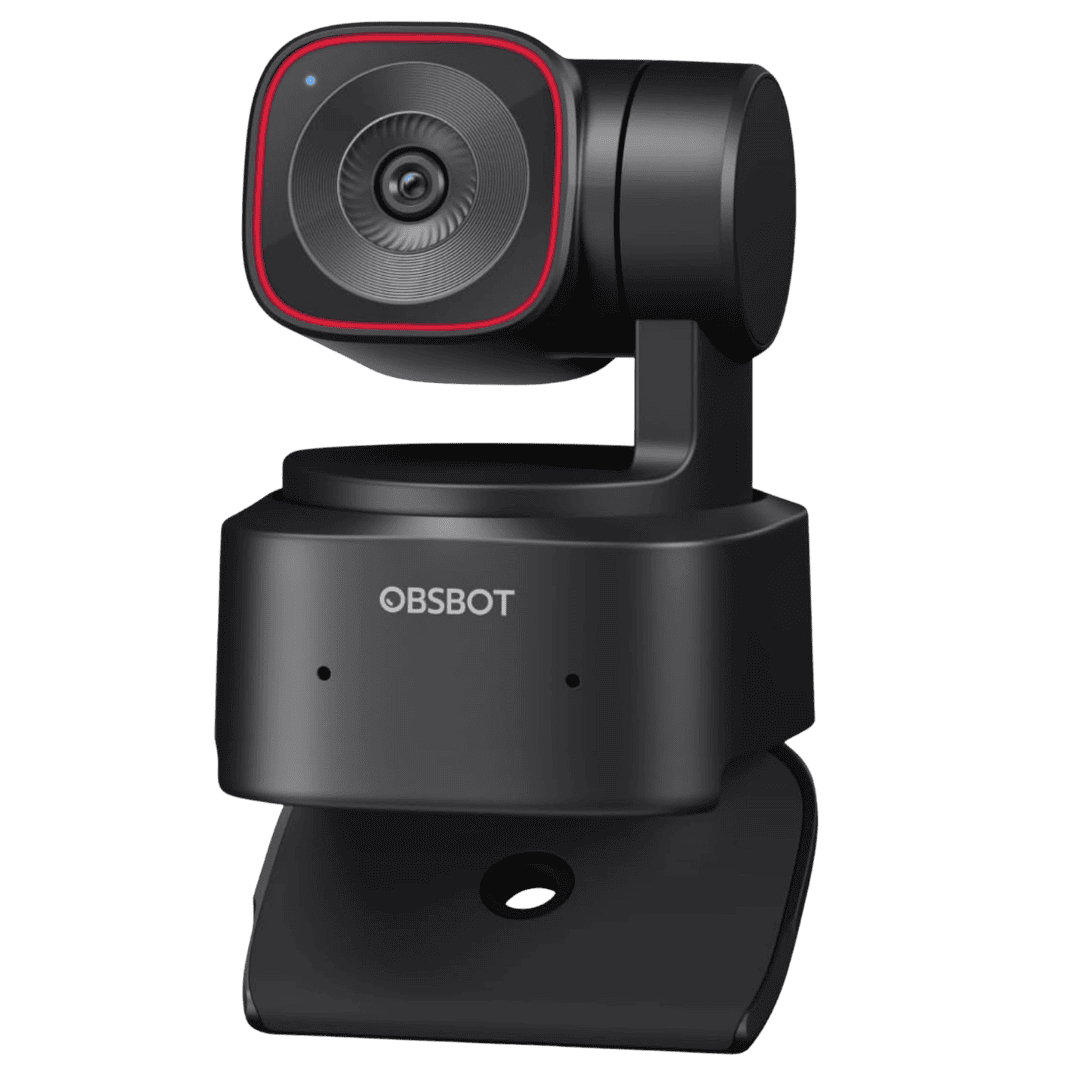
OBSBOT Tiny 2 Lite 4K Webcam
It's a slightly lower version from its Pro model. AI Tracking, PTZ Streaming Camera with 1/2" Sensor, Gesture Control, 60FPS, HDR for Meetings, Conferences and Live Streaming.
Affiliate link. As an Amazon Associate I earn from qualifying purchases.
It may not be as premium as the Tiny 3, but it still makes sense for users who want AI tracking on a lower budget.
If you are teaching online, doing webinars or showing something on a desk, this webcam can be very useful.
Key Highlights
- 4K webcam
- AI tracking support
- Good for teachers and presenters
- More affordable than Tiny 3
- Useful for online classes
- Smart webcam features at a lower price
Pros
- Good value for AI tracking
- Useful for presentations
- Better than fixed webcams for movement
- 4K video support
- Good option for online teaching
Things to Consider
The sensor is not as premium as Tiny 3. Low light quality may not be as strong as more expensive webcams. If your budget allows, Tiny 3 is the better upgrade.
Why I Recommend It
OBSBOT Tiny 2 Lite is a good value pick for people who want a 4K AI tracking webcam without paying premium pricing. It is especially useful for teachers, trainers and presentation-style creators.
I just want to add some more useful information here, if you are still in confusion of picking up your 4K Webcam for Live Streaming and Meeting.
Webcam vs Mirrorless Camera for Live Streaming
Many people search for the best cameras for live streaming and think they need a mirrorless camera. A mirrorless camera can give better background blur, lens control and overall image quality.
But it also needs more setup.
You may need a capture card, tripod, lens, HDMI cable, dummy battery and good lighting. For beginners, that can quickly become expensive and confusing.
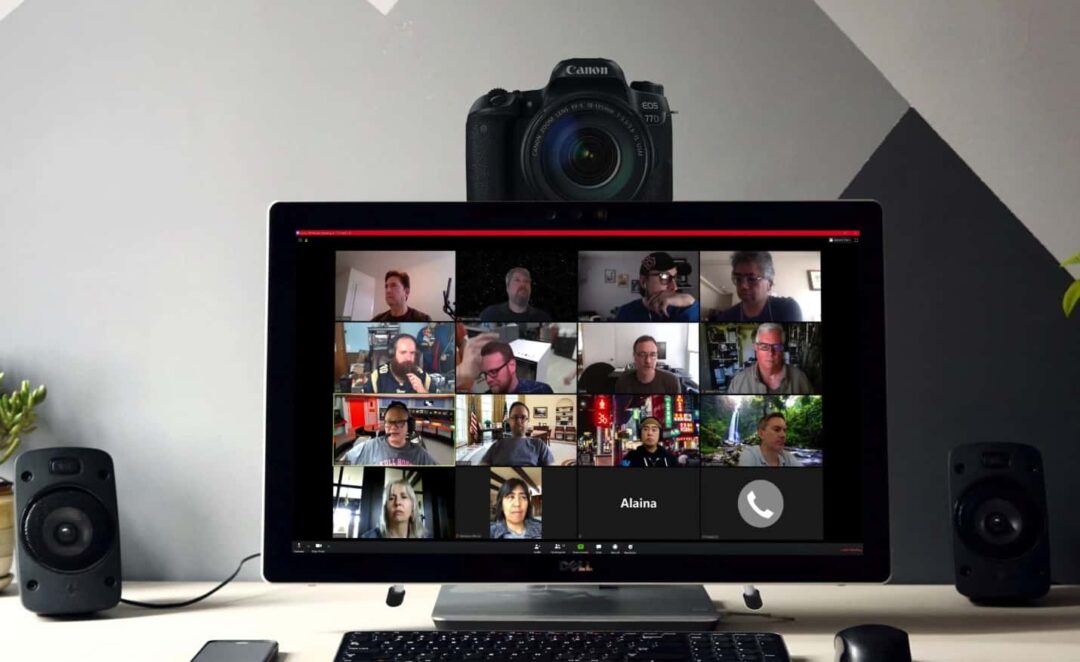
A webcam is much easier. You connect it to your computer and use it with Zoom, OBS, YouTube Live, Google Meet, Microsoft Teams or other streaming apps.
For most creators, teachers and professionals, I suggest starting with a good webcam first. Once your content grows, you can think about upgrading to a mirrorless camera setup. Most of us don’t need big setup on day 1.
How to Choose the Best Webcam for Live Streaming?
Before buying a webcam, think about how you are going to use it.
If you sit in one place and stream from your desk, a fixed 4K webcam like Insta360 Link 2C Pro or Logitech MX Brio is enough.
If you move during teaching, product demos or presentations, choose a tracking webcam like Insta360 Link 2 Pro, OBSBOT Tiny 3 or OBSBOT Tiny 2 Lite.
If you use OBS and already have a separate microphone, Elgato Facecam MK.2 is a good streamer-focused option.
If your budget is low, Anker PowerConf C200 is a practical starting point.
Here are the main things to check before buying:
- Video resolution
- Frame rate
- Low light performance
- Autofocus
- AI tracking
- Auto framing
- Microphone quality
- Privacy cover
- Software controls
- Compatibility with OBS, Zoom and Teams
For most users, 4K is useful but not always required. A good 1080p or 2K webcam can still look better than a laptop webcam if you have proper lighting. Just if you are planning to use the same webcam for long term, then go with 4K webcams.
My Final Recommendation
If you want the best overall webcam for live streaming, I would choose Insta360 Link 2 Pro. It gives you 4K video, AI tracking and a smart gimbal design that is useful for creators, teachers and presenters.
If you want a premium tracking webcam with strong video quality, OBSBOT Tiny 3 is also an excellent option.
Affiliate link. As an Amazon Associate I earn from qualifying purchases.
If you mainly sit at your desk and want a fixed 4K webcam, Insta360 Link 2C Pro is the easiest one to recommend.
Affiliate link. As an Amazon Associate I earn from qualifying purchases.
If you are an OBS streamer and already use a separate microphone, Elgato Facecam MK.2 is a good choice.
Affiliate link. As an Amazon Associate I earn from qualifying purchases.
If you want a reliable webcam from a trusted brand, Logitech MX Brio is a safe 4K option.
Affiliate link. As an Amazon Associate I earn from qualifying purchases.
If you are on a budget, Anker PowerConf C200 gives good value with 2K video quality.
Affiliate link. As an Amazon Associate I earn from qualifying purchases.
If you want AI tracking at a lower price, OBSBOT Tiny 2 Lite is worth considering.
Affiliate link. As an Amazon Associate I earn from qualifying purchases.
For most creators in 2026, I would suggest starting with Insta360 Link 2C Pro as your 4K Webcam if you sit at your desk, or Insta360 Link 2 Pro if you move while teaching or streaming.
Frequently Asked Questions:
What is the best webcam for live streaming?
Insta360 Link 2 Pro is one of the best webcams for live streaming because it gives 4K video, AI tracking and a moving gimbal that can follow you while presenting or teaching.
What is the best 4K webcam for live streaming?
Insta360 Link 2 Pro, Insta360 Link 2C Pro, OBSBOT Tiny 3 and Logitech MX Brio are good 4K webcams for live streaming. Choose based on whether you need AI tracking or a fixed desk setup.
Is Insta360 Link 2C Pro good for live streaming?
Yes, Insta360 Link 2C Pro is very good for live streaming from a fixed desk setup. It gives 4K video, auto framing, improved audio and a compact design.
Is OBSBOT Tiny 3 better than Insta360 Link 2 Pro?
Both are strong AI webcams. OBSBOT Tiny 3 is excellent for premium tracking and high frame rate video. Insta360 Link 2 Pro is easier to recommend for creators, teachers and presenters who want a balanced AI webcam with gimbal tracking.
Is Elgato Facecam MK.2 good for streaming?
Yes, Elgato Facecam MK.2 is good for OBS streamers who want 1080p 60fps video and manual control. It is better for users who already have lighting and a separate microphone.
Do I need a 4K webcam for live streaming?
Not always. Many streams are still watched in 1080p. But a 4K webcam gives better detail, better cropping and a sharper look, especially if you create videos, teach online or attend professional calls.
Is a webcam better than a mirrorless camera for live streaming?
A webcam is easier and cheaper to set up. A mirrorless camera can give better quality, but it needs extra gear and more setup time. For beginners, a good webcam is usually the better choice.
Did I help you finalise your search for 4K Webcam purchase today? Are you ready to go On Air Live Streaming crisp and clear. Share your thoughts and questions in comments. Have a wonderful day.
Spensio Expense Tracker for iPhone
Track your Expenses, Subscriptions, Loans and EMIs all in One App. Try Spensio for iPhone Free today.