

Facebook, a word turned viral in the past few years and became one of the most visited website across the world. Facebook has 600 million + users base and considered to be no 1 social networking website. There is no social networking site that has this much traffic and features loaded. Facebook allows any user to develop an application and let their friends and family use it. Commercially any one can develop an facebook app or game to let any facebook users to use it. With good monetizing tips followed, one can generate huge income when the facebook app becomes viral.


ProtonVPN Discount Coupon Code
ProtonVPN has Servers in 148+ Countries, Lightning fast Speeds, Ad Blocker, Secure Streaming, Double VPN and more.
Lets see How to create your first Facebook Application. Here, i am gonna guide you about creating a simple Facebook Application which is easy to understand and do.
In order to write a Facebook Application the basic requirements are:
- A Domain Name with Hosting Space (in other words “a website”) – This will help you to upload your Application code.
- Facebook Account with Developer Application Enabled.
Table of Contents
Whats next ?
Things to do in your cPanel Account
My host is cPanel powered, so i am able to do the upload and file managing easier than default FTP based site management.
- Go to your cPanel Account > File Manager > Public_html > and create a Folder “Name of your application or something that you want to”
- Create an index.html inside that folder > “Copy paste your code in that file and save that”.
- Now close your cPanel account and Login to your Facebook account.

Things to do in your Facebook Account
- Search for Facebook Developer groups/page in search bar.
- Now Click on “Go to App” option available.
- You may notice a button called “set up a new app” click on it.
It will take you to settings page of your Application, as shown below and it will have 6 sections :

About
Enter the Values for Application Name, Description, User Support Address and Contact Email Address here.
- Application Name: Guessing Game
- Description: Guessing the number correctly !
- User Support Address: (Email) [email protected]
- Contact Email Address: [email protected]
 Website
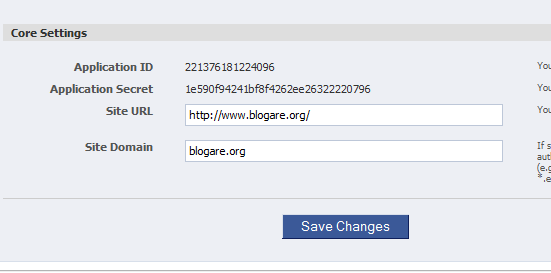
Enter the Values for Site Url and Site Domain here.
- Site Url: http://www.blogare.org/
- Site Domain: blogare.org
How to Integrate Facebook App ?
Enter the Values for Canvas Page, Canvas URL, Canvas Secure URL, IFrame Size, Tab Name, Tab URL, Tab Secure URL here.This is the most important part which integrates your application with Facebook. Lets have a look at the details that i enter for my demo facebook app.
- Canvas Page value: http://apps.facebook.com/coolguess/
- Canvas URL: http://www.blogare.org/guess/
- Canvas Secure URL: https://www.blogare.org/guess/
- IFrame Size: Show Scrollbars (any option can be chose)
- Tab Name: Cool Guess
- Tab URL: http://www.blogare.org/guess/index.html
- Tab Secure URL: https://www.blogare.org/guess/index.html (Rest of the values which are not mentioned are optional)

— (Rest of the settings for sections mentioned below are Optional and for Advanced Usage) —
Mobile and Devices
Credits
Advanced
Well done, your facebook application is ready to be launched.
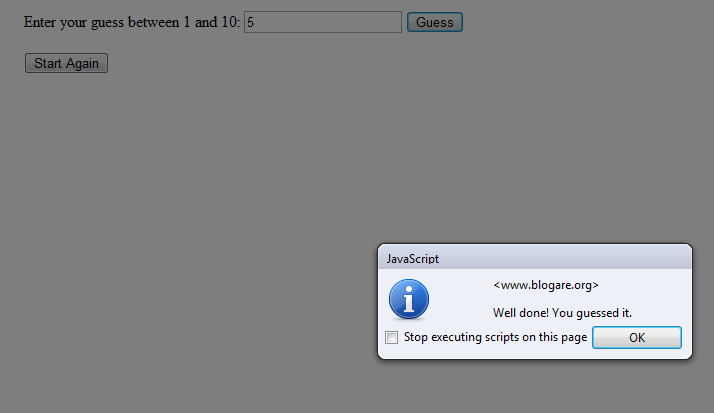
This is how the sample application works !
Screenshot 1
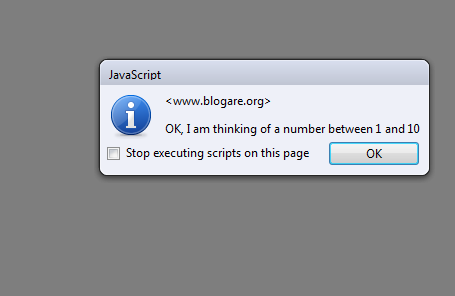
Screenshot 2

HEIC to JPG Batch Converter - Framio
HEIC to JPG, PNG Converter App for iPhone. Bulk Converter HEIC Photos to JPG on your iPhone in Seconds.
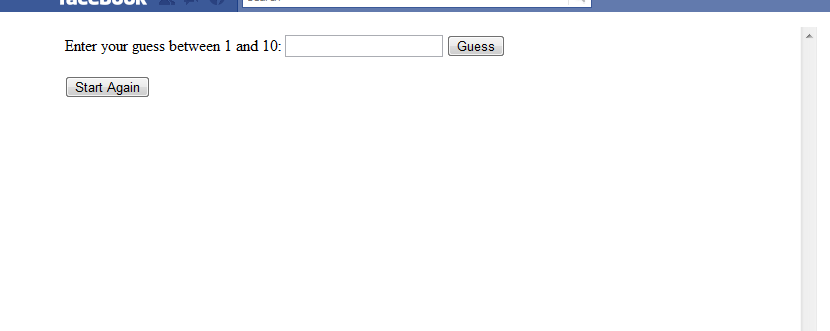
Screenshot 3
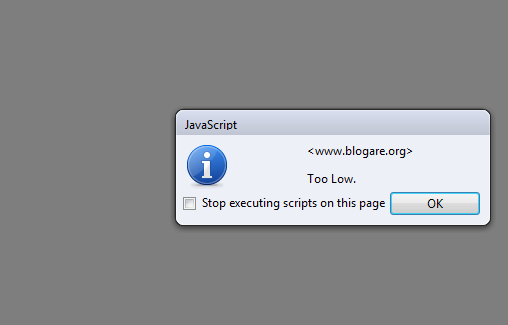
Screenshot 4
Sample Application Code (guess.html)
<script type=text/javascript>

var iRandom;

function Restart()

{

iRandom = Math.floor(Math.random()*10)+1;

alert('OK, I am thinking of a number between 1 and 10');

}

function Guess()

{

var yourGuess = document.getElementById('myGuess').value;

if (yourGuess>iRandom)

alert('Too High.');

if (yourGuess<iRandom)

alert('Too Low.');

if (yourGuess==iRandom)

{

alert('Well done! You guessed it.');

Restart();

}

}

</script>

<div>Enter your guess between 1 and 10: <input type=text id='myGuess' name='myGuess'>

<input type='button' onClick='Guess()' value='Guess'>

<br>

<br>

<input type='button' onClick='Restart()' value='Start Again'>

<script type=text/javascript>

Restart();

</script>
Tips on Troubleshooting
- Tools & SDK in Developer page: Can be used to test your applications working.
- If your application shows an error while executing called “SSL received a record that exceeded the permissible maximum length”. Go to Facebook Settings > Account Settings > Go to the option called Security and Disable your “HTTPS”.
I am sure you will have so much fun in creating your very first facebook app. Do let us know your facebook app address in the comment box below once you created. We will be happy to visit and comment about it. Thank you and happy facebook-ing !
You may folllow DailyTUT on Twitter or like us at Facebook to get more Tech news and updates.



Great work 🙂 I love it too.. i have an doubt.. this app doesnt ask permission to execute.. and can we add HTML program or any other language program to work like this?
Awesome Tutorial gonna try it for my project…thanks 🙂
super da
super da
@vincent: It has not been submitted to Facebook Application directory. After It gets submitted it would ask permission to execute, like any other application. And you can try this with Html programs with scripts or else you can go for FBML. FBML program has some different steps !
@Pradctgign: Thank you 🙂 You can add more functionality and some advanced features for your project !
Neat crisp article,will try making an app sometime with this tut
Thank you, great job
thanks for info…