

If you are searching for a working Markzware coupon code and honest Markzware reviews before buying a license, you are in the right place. Markzware builds standalone desktop publishing (DTP) file converters and preflight tools for graphic designers, print shops, and content teams. Instead of paying for multiple software subscriptions just to open or edit client files.
Markzware apps let you preview, inspect, and convert PDF, Adobe InDesign, QuarkXPress, and Microsoft Publisher documents directly into editable formats, with your choice of an annual subscription or a one-time perpetual license.
In this updated 2026 guide, we break down every active Markzware product, compare subscription vs. perpetual pricing, and show you how to reveal and apply our exclusive 5% promo code using the deal box on this page.
Table of Contents
How to Claim the Markzware Coupon Code (5% OFF Deal)
Revealing and applying our exclusive 5% Markzware promo code takes less than a minute:
- Reveal and copy the code: Click any Get Product on this page will copy and apply the Markzware Coupon Code automatically, and open the official Markzware store with Discount applied.
- Pick your Product and platform: Choose your tool (such as OmniMarkz, PDFMarkz, IDMarkz, QXPMarkz, or FlightCheck) and select either macOS or Windows (SE edition).
- Choose Subscription vs. Perpetual: Pick a 12-month subscription (includes all version updates) or a one-time perpetual license.
- Paste the promo code at checkout: On the checkout page, click the coupon or promo code field, paste the copied code, and confirm your 5% discount before completing payment.
Markzware Product Reviews & 2026 Pricing
Every Markzware desktop app runs as a standalone application, meaning you do not need Adobe InDesign, QuarkXPress, or Microsoft Publisher installed on your computer to preview or convert files. Here is a breakdown of what each tool does best.
1. OmniMarkz & OmniMarkz SE Review (All-in-One DTP Converter)
OmniMarkz (macOS) and OmniMarkz SE (Windows) combine PDFMarkz, IDMarkz, and QXPMarkz into one complete desktop conversion suite, plus full support for Microsoft Publisher (.pub) migration.

- Multi-format support: Preview and convert PDF, Adobe InDesign (.indd), QuarkXPress (.qxp), Microsoft Publisher (.pub), and Illustrator files into editable IDML, PDF, PNG, JPEG, TIFF, RTF, TXT, or HTML.
- Microsoft Publisher migration: With Microsoft retiring Publisher in October 2026, OmniMarkz’s built-in Conversion Center scans your drives for old
.pubfiles and converts them cleanly for Adobe InDesign or Affinity Publisher. - AI and automation workflows: Exports structured MZJSON data for AI and LLM pipelines, and supports AppleScript, custom URL schemes, and direct InDesign menu integration.
- Free preview mode: You can download OmniMarkz for free to scan and preview documents before buying a license to unlock exports.
Official Pricing: Starts at $469/year (Subscription) or $719 (One-Time Perpetual License) before your 5% discount.
for macOS (1 Year License)
Get OmniMarkz (1 Year License)
for macOS (Perpetual License)
Get OmniMarkz (Perpetual License)
for Windows SE (1 Year License)
Get OmniMarkz SE (1 Year License)
for Windows SE (Perpetual License)
Get OmniMarkz SE (Perpetual License)
2. PDFMarkz & PDFMarkz SE Review (PDF to InDesign & Affinity)
PDFMarkz (macOS) and PDFMarkz SE (Windows) are Markzware’s most popular single-purpose tools. They convert multi-page PDF files directly into editable Adobe InDesign (IDML), Affinity Publisher, and QuarkXPress layouts without forcing you to rebuild designs from scratch.

- True layout conversion: Unlike placing a static PDF into InDesign, PDFMarkz extracts live editable text, fonts, colors, layers, and linked images.
- Document inventory reports: Inspect page sizes, color modes, resolution, and missing fonts before converting or sending files to print.
- One-click app handoff: Set PDFMarkz to automatically open converted IDML files straight inside Adobe InDesign 2026 or Affinity Publisher.
Official Pricing: Starts at $259/year (Subscription) or $429 (One-Time Perpetual License) before applying our 5% coupon deal.
for macOS (1 Year License)
for macOS (Perpetual License)
Get PDFMarkz (Perpetual License)
for Windows SE (1 Year License)
Get PDFMarkz SE (1 Year License)
for Windows SE (Perpetual License)
Get PDFMarkz SE (Perpetual License)
3. IDMarkz & IDMarkz SE Review (InDesign File Converter)
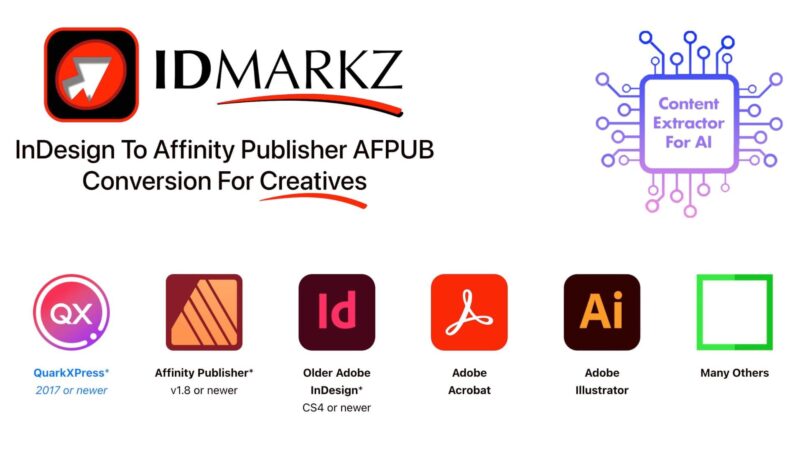
IDMarkz (macOS) and IDMarkz SE (Windows) let you open, preview, and convert native Adobe InDesign (.indd) files even if you do not have an active Adobe Creative Cloud subscription.
- Open InDesign files anywhere: Export
.inddfiles to IDML so you can edit them in Affinity Publisher, QuarkXPress, or older versions of InDesign (CS4 and newer). - Quick visual previews and image exports: Inspect spreads and export pages as high-resolution PNG, JPEG, TIFF, or PDF files without launching InDesign.
- Budget-friendly pricing: At $129/year, IDMarkz is Markzware’s lowest-priced desktop converter.
Official Pricing: Starts at $129/year (Subscription) or $249 (One-Time Perpetual License) before applying our 5% coupon deal.
for macOS (1 Year License)
for macOS (Perpetual License)
Get IDMarkz (Perpetual License)
for Windows SE (1 Year License)
Get IDMarkz SE (1 Year License)
for Windows SE (Perpetual License)
Get IDMarkz SE (Perpetual License)
4. QXPMarkz & QXPMarkz SE Review (QuarkXPress to InDesign)
QXPMarkz (macOS) and QXPMarkz SE (Windows) are built for agencies, publishers, and print shops migrating legacy QuarkXPress (.qxp) archives into modern design software.

- Legacy archive recovery: Convert QuarkXPress 2026 and older legacy
.qxpfiles directly into editable IDML, Adobe InDesign, Affinity Publisher, or PDF documents. - Batch conversion and inventory: Process folders of QuarkXPress documents at once and inspect font and image usage before migrating.
Official Pricing: Starts at $259/year (Subscription) or $429 (One-Time Perpetual License) before applying our 5% coupon deal.
for macOS (1 Year License)
for macOS (Perpetual License)
Get QXPMarkz (Perpetual License)
for Windows SE (1 Year License)
Get QXPMarkz SE (1 Year License)
for Windows SE (Perpetual License)
Get QXPMarkz SE (Perpetual License)
5. FlightCheck Review (Print & PDF Preflight Software)
FlightCheck (macOS) is an industry-standard preflight and print quality control application that checks native design files and PDFs before they go to press.

- Catch costly print errors early: Automatically flags missing fonts, low-resolution images, RGB colors in CMYK print jobs, bleed issues, and AI-generated content flags.
- Multi-app inspection and packaging: Inspects Adobe InDesign, Illustrator, Photoshop, Acrobat PDF, and QuarkXPress files, then collects all fonts, linked images, and reports into a single print-ready package.
- 30-day free trial: Markzware offers a full-featured 30-day demo of FlightCheck for macOS.
Official Pricing: Starts at $299/year (Subscription) or $479 (One-Time Perpetual License) before applying our 5% coupon deal.
for macOS (1 Year License)
Get FlightCheck (1 Year License)
for macOS (Perpetual License)
Get FlightCheck (Perpetual License)
6. MarkzPortal & Canva Apps (ConvertMarkz & DesignMarkz)
If you only need to convert a single file occasionally, or if you work on a Chromebook or Linux machine, MarkzPortal brings Markzware’s conversion engine to your web browser with zero software installation.

- Pay-as-you-go or monthly plans: Convert a single document starting at $29/doc (with free unlimited previews before you pay), or choose the $99/month plan (500 pages/month) for ongoing team usage.
- Canva integration (ConvertMarkz and DesignMarkz): Markzware’s Canva apps bridge Canva and professional desktop publishing. Use ConvertMarkz to export Canva designs into InDesign or Affinity Publisher, or use DesignMarkz to open InDesign, Publisher, and PDF layouts inside Canva.
Get MarkzPortal Monthly Subscription
OmniMarkz vs. Individual Converters: Which License Should You Buy?
If you only convert one specific file type, such as PDFs to InDesign, buying PDFMarkz or IDMarkz saves you money. However, if you regularly handle two or more file types (for example, both PDFs and InDesign or Microsoft Publisher files), OmniMarkz costs less than buying two separate apps and adds batch file inventory tools.
| Feature / File Support | OmniMarkz / SE | PDFMarkz / SE | IDMarkz / SE | QXPMarkz / SE |
|---|---|---|---|---|
| Convert PDF to IDML / Affinity | Yes | Yes | No | No |
| Convert InDesign (.indd) | Yes | No | Yes | No |
| Convert QuarkXPress (.qxp) | Yes | No | No | Yes |
| Convert MS Publisher (.pub) | Yes | No | No | No |
| Drive-Wide File Inventory Scan | Yes | No | No | No |
Markzware Coupon Code & Licensing FAQs
What is the best working Markzware coupon code in 2026?
You can use our exclusive partner promo code (revealed inside the deal box on this page) at checkout on the official Markzware store to save 5% on eligible Markzware software licenses.
Does the Markzware promo code work on both subscriptions and perpetual licenses?
Yes. Every desktop Markzware application, including OmniMarkz, PDFMarkz, IDMarkz, QXPMarkz, and FlightCheck, is available as either a 12-month subscription or a one-time perpetual license, and you can paste our copied promo code during checkout to apply the 5% discount.
How do I get a Markzware volume, student, or academic discount?
If you are buying multiple seats for an agency or print shop, Markzware offers multi-seat volume discounts (10% off for 6 to 10 seats, 15% off for 11 to 20 seats, and 20% off for 21 or more seats). Students, teachers, and nonprofit organizations can also contact Markzware directly for academic pricing.
What is Markzware’s refund policy and free trial option?
Before buying, you can download free preview-only versions of OmniMarkz, PDFMarkz, IDMarkz, and QXPMarkz to inspect your documents, or use the full-working 30-day free trial of FlightCheck on macOS.
Because Markzware lets you test files before purchasing, check their official return policy terms at checkout, as promotional and discounted licenses may have strict refund conditions.
What is the difference between Markzware macOS and Windows SE versions?
Markzware builds separate native apps for Mac and Windows. Standard product names (like OmniMarkz and PDFMarkz) are for macOS, while products ending in SE (like OmniMarkz SE and PDFMarkz SE) are the Windows 10 and Windows 11 editions. Both platforms share the same pricing and core conversion features.
Can Markzware convert Microsoft Publisher (.pub) files without Publisher installed?
Yes. All Markzware desktop converters run as standalone apps without needing Adobe InDesign, QuarkXPress, or Microsoft Publisher installed. Following Microsoft Publisher’s retirement in October 2026, OmniMarkz (macOS), OmniMarkz SE (Windows), and MarkzPortal all open and convert .pub files into editable IDML documents for Adobe InDesign or Affinity Publisher.
Final Verdict: Which Markzware Deal Should You Pick?
If you only convert PDFs into editable layouts, PDFMarkz (or PDFMarkz SE on Windows) gives you the best return on investment. If you need to open InDesign files without an Adobe Creative Cloud subscription, IDMarkz is the most affordable option at $129/year.
For print shops, agencies, and teams handling PDFs, InDesign, QuarkXPress, and old Microsoft Publisher files, OmniMarkz replaces three separate tools in one license.
Whichever plan you pick, click the deal box on this page to copy the promo code and save 5% at checkout. Have a Productive day.




Thanks for the savings and tips. Good markzware coupon.