

If you work with multiple SQL or NoSQL databases and want a clean visual way to design schemas, compare environments, and generate interactive documentation without paying a recurring monthly fee, DbSchema is one of the strongest database tools you can pick up right now.
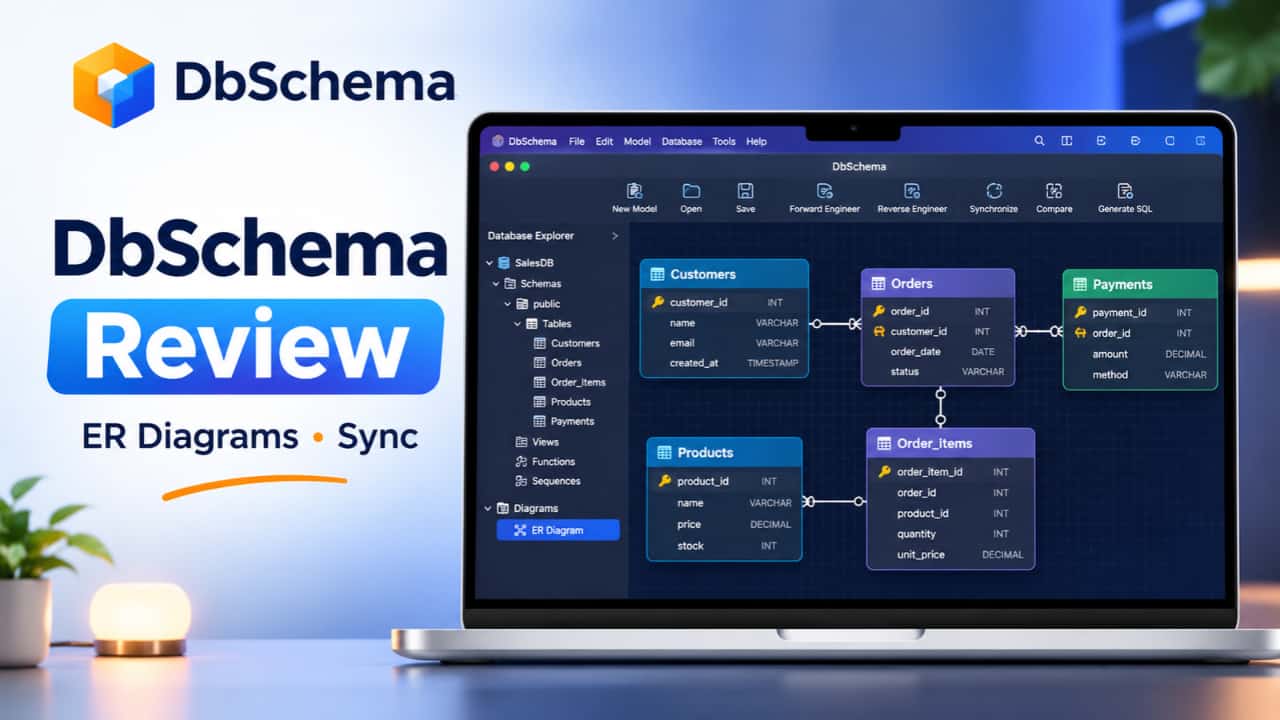
During the DbSchema Black Friday 2026 sale, you get an automatic 15% discount across all perpetual and monthly licenses directly on the official checkout page. You do not need to hunt for or paste any promo code. The discount is built into the checkout when you activate the deal through our link below.
Activate 15% OFF DbSchema Deal (Auto-Applied) →
Table of Contents
DbSchema Pricing & 15% Black Friday Discount Breakdown
Unlike most modern developer tools that lock you into endless annual subscriptions, DbSchema lets you choose between a one-time perpetual license or a cancel-anytime monthly subscription.
Every download starts with a 15-day free trial of all Pro and Architect features. Once the trial ends, you can keep using the free Community Edition forever or upgrade with the 15% discount applied automatically at checkout.
| Edition / Tier | Regular Perpetual Price | 15% Discount Price | Monthly Option (Regular) | Best For |
|---|---|---|---|---|
| Community Edition | Free | Free | Free | Live DB connections, basic ER diagrams, SQL editor |
| DbSchema Pro (Personal) | $196.00 one-time | $166.60 one-time | $19.60 / mo | Solo developers & freelancers paying out of pocket |
| DbSchema Pro (Business) | $294.00 one-time | $249.90 one-time | $29.40 / mo | Company seats, offline .dbs models, schema sync & HTML5 docs |
| DbSchema Architect (Business) | $470.40 one-time | $399.84 one-time | $47.04 / mo | Logical/conceptual modeling before a DB exists + SQL flow diagrams |
| DbSchema Pro (Education) | $98.00 one-time | $83.30 one-time | $9.80 / mo | Verified students, teachers & academic institutions |
| Floating Team License | $1,168.00 one-time | $992.80 one-time | $116.80 / mo | Teams sharing concurrent seats (breaks even at 3+ occasional users) |
Perpetual vs. Monthly Math: DbSchema prices its perpetual license at 10 months of the monthly subscription. Buying the perpetual license breaks even in Month 11, and with the 15% Black Friday discount, you come out ahead in less than 9 months. Each perpetual license includes 1 full year of software updates, and renewing updates afterward ($50/yr Personal, $75/yr Pro Business, or $120/yr Architect) is completely optional. Your licensed version keeps working forever even if you never renew.
Check Live DbSchema Sale Prices →
DbSchema Review: Core Features & Real-World Workflow
DbSchema is built around a simple idea: instead of juggling separate tools for ER diagramming, schema migrations, test data generation, and documentation, everything runs off one portable XML/JSON model file (.dbs) stored locally on your machine or in Git.
1. Multi-Database Support Across 70+ SQL & NoSQL Engines
DbSchema runs natively on Windows, macOS, and Linux and connects to over 70 relational and NoSQL databases using standard JDBC drivers.
Supported engines include:
- Relational SQL: PostgreSQL, MySQL, MariaDB, Microsoft SQL Server, Oracle, SQLite, Snowflake, Amazon Redshift, Google BigQuery, and ClickHouse.
- NoSQL & Document Stores: MongoDB, Cassandra, Couchbase, Elasticsearch, and DynamoDB.
For MongoDB and other document databases, DbSchema automatically infers nested JSON structures and visualizes collections as clear relational-style diagrams, something most traditional SQL tools struggle to handle cleanly.
2. Interactive Layouts & Reverse Engineering for Large Schemas
Opening a legacy database with 400+ tables in a single diagram usually turns into an unreadable spiderweb.
DbSchema solves this by letting you split a single project into multiple focused Layouts, for example, separate diagrams for Billing, Authentication, and Inventory, all backed by the same underlying model.
You can reverse-engineer an existing production or staging database in seconds, reorganize tables visually, add virtual foreign keys where constraints are missing in the database, and browse related records across tables with a click.
3. Git-Friendly Schema Synchronization & Migration Scripts
Because DbSchema saves your schema design as a clean, human-readable XML .dbs file, you can commit schema changes directly to Git alongside your application code and review diffs in pull requests.
When you are ready to deploy, DbSchema compares your local model against development, staging, or production databases, highlights every structural difference, and generates accurate SQL migration scripts before executing a single change.
4. Interactive HTML5, PDF & Markdown Documentation
One of the biggest hidden time-sinks on engineering teams is onboarding new developers or explaining table relationships to data analysts. With DbSchema Pro, you can export your entire schema, including interactive diagrams, table comments, column data types, and foreign keys, as a self-contained HTML5 documentation package. Anyone on your team can open it in a browser without needing a DbSchema license.
5. Visual Query Builder, Relational Data Explorer & Test Data Generator
- Visual Query Builder: Analysts and junior developers can build complex multi-table
JOIN,GROUP BY, and filter queries visually without memorizing table aliases. - Relational Data Explorer: Click a customer row in one pane and immediately inspect their linked orders, invoices, and support tickets in synchronized child panes.
- Random Data Generator: Populate staging tables with realistic dummy data using built-in patterns and regex templates while respecting foreign-key insertion order.
DbSchema Pros and Cons
| What We Like (Pros) | What Could Be Better (Cons) |
|---|---|
| True Perpetual License: Pay once and own the software forever with no forced recurring subscription. | SQL Editor Autocomplete: Functional for daily queries, though less advanced than JetBrains DataGrip for heavy PL/SQL or T-SQL refactoring. |
| 2-Computer Activation: Install one single-user license on both your desktop workstation and laptop. | Java Desktop Interface: Fast and reliable across Windows, Mac, and Linux, though the UI feels utilitarian rather than ultra-modern. |
| 100% Local & Private: No cloud account required; schemas stay on your machine or behind your firewall. | AI Assistant Add-On: Built-in AI credits require a separate monthly add-on (unless you connect your own OpenAI/Claude/DeepSeek API key in Pro). |
| Unified SQL + NoSQL Workflow: Handles PostgreSQL, MySQL, Snowflake, and MongoDB inside one interface. | Community Edition Limits: The free version cannot save .dbs model files or export full HTML5 documentation. |
DbSchema vs\. DataGrip vs\. DBeaver: 3-Year Cost Comparison
If you are deciding between DbSchema, JetBrains DataGrip, and DBeaver, the biggest difference comes down to visual schema modeling and long-term licensing cost:
| Feature / Metric | DbSchema Pro (Business) | JetBrains DataGrip | DBeaver Enterprise |
|---|---|---|---|
| Licensing Model | One-time perpetual (updates optional) | Annual / monthly subscription | Annual subscription |
| Year 1 Cost (1 User) | $249.90 (with 15% Black Friday deal) | $259.00 / yr (drops to $155/yr in Year 3+) | $255.00 / yr |
| 3-Year Total Cost | $249.90 (or $399.90 with optional updates) | $621.00 | $765.00 |
| Offline Schema Modeling & Git Diff | Yes (core strength) | Basic diagram viewing only | Limited compared to DbSchema |
| Interactive HTML5 Schema Docs | Yes | No | No |
Which one makes more sense? If you spend 90% of your day writing complex stored procedures and want the smartest SQL autocomplete on the market, DataGrip is tough to beat. If you design schemas, manage multiple environments, document databases for teams, or want NoSQL + SQL visual modeling with a one-time payment, DbSchema Pro gives you far better 3-year value.
How to Claim the DbSchema 15% Black Friday Discount
- Click any Activate 15% OFF DbSchema Deal button on this page to open the official DbSchema purchase page with our partner tracking active.
- Select your license category (Business, Personal, or Education) and choose between Pro or Architect.
- Check your order summary at checkout. The 15% Black Friday discount is deducted automatically, so you do not need to enter a manual coupon code.
- Complete checkout to receive your license key immediately via email, then activate it inside your DbSchema installation (valid on up to 2 computers per user).
Activate 15% OFF DbSchema License Now →
Frequently Asked Questions
How do I get the DbSchema 15% Black Friday discount?
Click any deal link on this page to visit the official DbSchema purchase page during the Black Friday promotion. The 15% discount applies automatically at checkout across Business, Personal, Education, and Floating licenses, so no manual promo code is needed.
Is DbSchema a one-time purchase or a subscription?
DbSchema offers both, though most developers choose the one-time perpetual license. A perpetual license costs the equivalent of 10 monthly payments, includes 1 full year of software updates, and continues working forever even if you choose not to renew annual maintenance afterward.
What is the difference between DbSchema Community, Pro, and Architect?
The free Community Edition connects to live databases, draws basic ER diagrams, and runs SQL queries, but cannot save model files offline. DbSchema Pro unlocks offline .dbs model files for Git, schema synchronization and migration scripts, interactive HTML5/PDF documentation, the visual query builder, and the test data generator. DbSchema Architect includes everything in Pro plus database-independent logical/conceptual modeling and SQL flow diagrams.
Can I install one DbSchema license on two computers?
Yes. Every single-user DbSchema license (Personal, Pro, or Architect) allows one person to install and activate the software on up to two computers, such as an office desktop and a home laptop, as long as only one instance is used at a time.
Does DbSchema offer a student or academic discount?
Yes. Verified students, educators, and academic institutions qualify for DbSchema Education pricing, which discounts Pro licenses by 50% off standard personal pricing (starting at $98 regular, or $83.30 during the 15% sale).
Which databases does DbSchema support?
DbSchema supports over 70 SQL and NoSQL databases on Windows, macOS, and Linux, including PostgreSQL, MySQL, MariaDB, Microsoft SQL Server, Oracle, SQLite, Snowflake, BigQuery, Redshift, MongoDB, Cassandra, and Elasticsearch.
Final Verdict
If you are tired of paying recurring yearly subscriptions for database diagramming and schema management tools, DbSchema Pro is one of the smartest one-time software purchases you can make. Start with the free 15-day full-featured trial to reverse-engineer your own database, and lock in the 15% Black Friday discount through our deal link while the sale is live.
Note: Promotional pricing and tax calculations vary by region and are finalized directly on the official DbSchema checkout page.