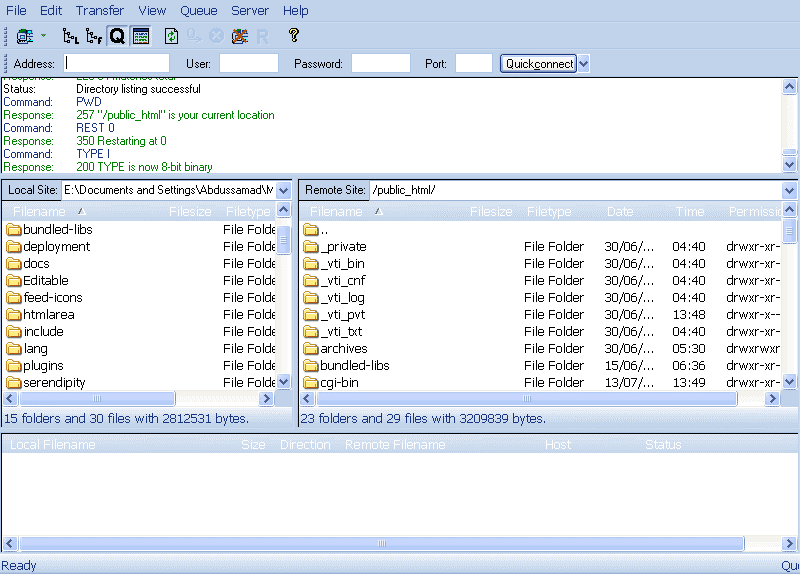

File Transfer Protocol (FTP) is a standard network protocol used to exchange and manipulate files over an Internet Protocol computer network, such as the Internet. FTP is built on a client server architecture and utilizes separate control and data connections between the client and server applications.

Smart FTP
SmartFTP is an FTP (File Transfer Protocol) client which allows you to transfer files between your local computer and a server on the Internet. With its many basic and advanced Features SmartFTP also offers secure, reliable and efficient transfers that make it a powerful tool. Click here to Download our ftp software.
SmartFTP can be used for:
- Web site publishing and maintenance
- Upload and download of images, documents, movie and music files
- Share your files with your friends and coworkers
- Backups of local or remote files

File Zilla

Is one of my favorite and licensed under GNUGPL. Here some info about filezilla from its official website. FileZilla Client is a fast and reliable cross-platform FTP, FTPS and SFTP client with lots of useful features and an intuitive graphical user interface.
Core FTP
Core FTP Lite is one of the most comprehensive out there. It allows you to do pretty much anything that you can do with FTP transfers. It features everything from SFTP (SSH), SSL, TLS, IDN, browser integration, site to site transfers to FTP transfer resume, drag and drop support and command line transfers.
Where Cute FTP really distinguishes itself is through it’s security features. Not many FTP clients support so many different security protocols meaning you can upload and download to FTP servers with peace of mind. This is essential if you’re administering a website that holds. The list of features doesn’t stop there though and is truly mind boggling. It also supports Auto retry of failed transfers, bandwidth control throttle, remote file searching and .htaccess/.htpasswd editing etc.
Fling FTP Software
Fling FTP Software is a powerful ftp program that sets itself apart from other ftp clients by seamlessly integrating with your local Windows explorer.
Fling avoids the chore of navigating complicated software interfaces and instead utilizes Windows file explorer. It runs behind the scenes and allows you to automatically upload or transfer files from anywhere on your PC. Simply right click on the file you want to upload and select “Fling Upload”. It’s as easy as that. But best of all, Fling is completely free.
Super Fast and Automatic FTP Uploading
Because Fling does not rely on its own interface for uploading but instead allows you to upload directly via your Windows explorer, uploading time is incredibly fast.
Fling is typically used to maintain an online web site or to automate backup of folders. The software supports both file transfer protocol (ftp) and network file transfer. Uploads can be automatic (upload as soon as the files are changed), at a preset interval (e.g. every hour) or manually.
Classic FTP
Classic FTP is an easy to use ftp client that allows you to view, edit, upload, download and delete files from a remote server (website) or network for free.
Classic FTP, as its name suggests, has been specifically designed to look and feel like a typical ftp client. Whilst offering all the same features as other ftp clients, Classic FTP is perfect for both advanced and novice website administrators. But best of all, Classic FTP is completely free. We offer it free in the hope that you will download and try some of our other great software titles.
Easy and Reliable FTP Site Maintenance
Classic FTP’s easy to use interface makes locating and editing files on your website easy. You can also upload or download files with a single click of a button.
Classic FTP also features a handy “Mirror and Upload” tool, where by the click of a button it will scan the selected local folder and upload any files that do not exist in the selected remote folder. Classic FTP also allows you to synchronize navigation of a local folder with a remote folder.
FireFTP
FireFTP is a free, open source, cross-platform FTP client for Mozilla Firefox in the form of an add-on. It supports FTP, FTPS, and SFTP. FireFTP is charityware and runs on platforms that Firefox supports.
FireFTP is activated from the Tools menu, opening a two-pane view within a Firefox window. The pane on the left-hand side shows the local file system, a tree of directories and a list of files in the current directory. The pane on the right shows the remote FTP server. Between the panes there are two buttons with arrows, one for upload and the other for download.
To connect to an FTP server, one can either enter a site name directly (“QuickConnect”) or use the Account Manager to make FireFTP remember settings about that particular site, including the username and password, security settings (encryption schemes), passive mode, initial directories to change to upon connection, and case changes to be performed in file names after transmissions.
CrossFTP
CrossFTP is a multi-tab FTP client for multiple operating systems.
CrossFTP Pro is a FTP client supporting SFTP, FXP, WebDav, and Amazon S3. It uses a two-pane interface so that the novice user can master in minutes.
Features
- Unicode support for international sites
- Bonjour Service Discovery
- Site password protection
- Multi-tab Navigation
- Archive browsing(.zip,.tar.gz,etc.), extraction, and compression
- Fast Filtering by Masks
- Transfer compression (mode Z)
- Web searching
- Auto-reconnecting and anti-idle
- Sound and event triggers


Words from Readers