
iOS 27.2 is out, and the early feedback is mixed but mostly positive on stability. Some users say the update feels smoother and more stable than previous 27 versions. Others are reporting iOS 27.2 battery drain that feels worse than before.
Here’s a clear look at what people are actually seeing with iOS 27.2 battery life.
Table of Contents
Is iOS 27.2 Stable and Should You Update?
Yes for a lot of people. Many users on Reddit and elsewhere say the phone feels buttery smooth after the update. App switching is quicker, animations are cleaner, and some of the small delays from earlier 27 builds are gone.
That said, it is not perfect for everyone. A handful of users still mention minor lag or heating during the first couple of days. Most of that seems tied to the normal post-update indexing process.

Kevio: Family Medicine Tracker
No more missing of Medications, Tests and Doctor Appointments. Let Kevio keep a track of it, and Remind you right on time. Take Prescriptions, Blood Tests, Injections right on time with Kevio.
How Is iOS 27.2 Battery Life?
This is where the feedback splits.
Better for some: Several iPhone 16 and 17 users report improved iOS 27.2 battery life. One person shared that they used only 55% battery in nearly 5 hours of screen-on time, which was better than their previous version. Others said they can now make it through the evening with more charge left. Some iPhone 15 users also noted better endurance compared with 27.0.1.
Worse for others: Plenty of people are seeing iOS 27.2 battery drain. A few described it as “abysmal,” especially on the first day or two. One user watched their battery drop faster in real time right after updating. A number of Reddit posts under iOS 27.2 battery reddit and iOS 27.2 battery life reddit show the same pattern: heavier drain early on, then it settles for some but stays poor for others.
Apple has said temporary higher drain is normal after big updates because of background indexing, app updates, and system setup. For many people the extra drain eases after 2–5 days. For others it has not improved much even after a week.

Insta360 Link 2 Pro 4K Webcam
Insta360 Link 2 Pro is a 4K Webcam for PC and Mac. 1/1.3" Sensor delivers excellent low light, AI Tracking, HDR and Directional Noise Cancelling MIcs. Supports Stream Deck, Zoom, Youtube Live, Twitch and more.
Affiliate link. As an Amazon Associate I earn from qualifying purchases.
iOS 27.2 Battery Drain Fix Tips
If you are seeing fast drain, try these simple steps first:
- Leave your iPhone plugged in on Wi-Fi overnight for the first couple of nights so indexing can finish.
- Go to Settings – Battery and check which apps are using the most power. Update or limit the heavy ones.
- Turn off Background App Refresh for apps you do not need running in the background.
- Restart your iPhone once after the update.
These steps have helped a good number of users with iOS 27.2 battery fix reports. Some also mention turning off Wi-Fi Assist or checking Adaptive Power settings.
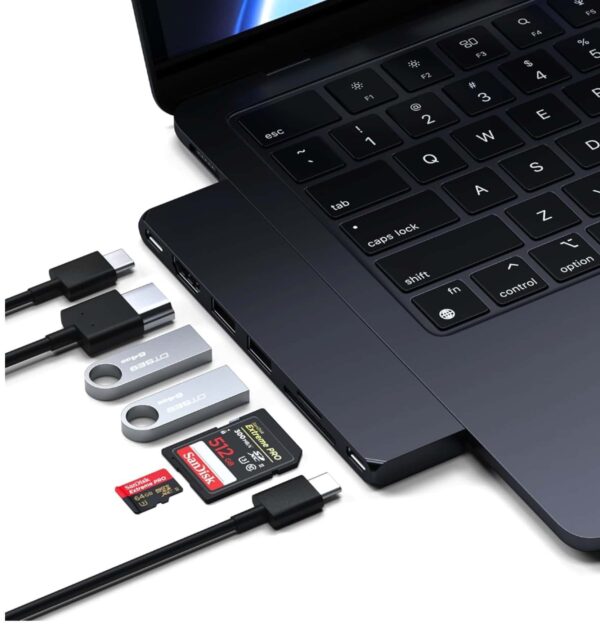
Satechi 7 in 1 USB C Hub
USB hub, 100W Charging, USB 4, USB 3.2 Gen 2, SD/Micro Card Reader, for Mac, MacBook Air/Pro
Should You Update to iOS 27.2?
If you care more about smoothness and stability, most early feedback says yes. The update feels more refined for a lot of people.
If battery is your top priority and you were happy on 27.0.1 or an older version, you may want to wait a few more days and watch the iOS 27.2 beta battery style reports. The first few days after any major point release are rarely the best measure of real iOS 27.2 battery performance.
After Updating your iPhone:
Give it 3–5 days if you already updated. That is usually long enough to see whether the drain settles or if you need the tips above.
How is iOS 27.2 overall performance on your iPhone? If you have updated already, do share your feedback in the comments. Have a great day.