
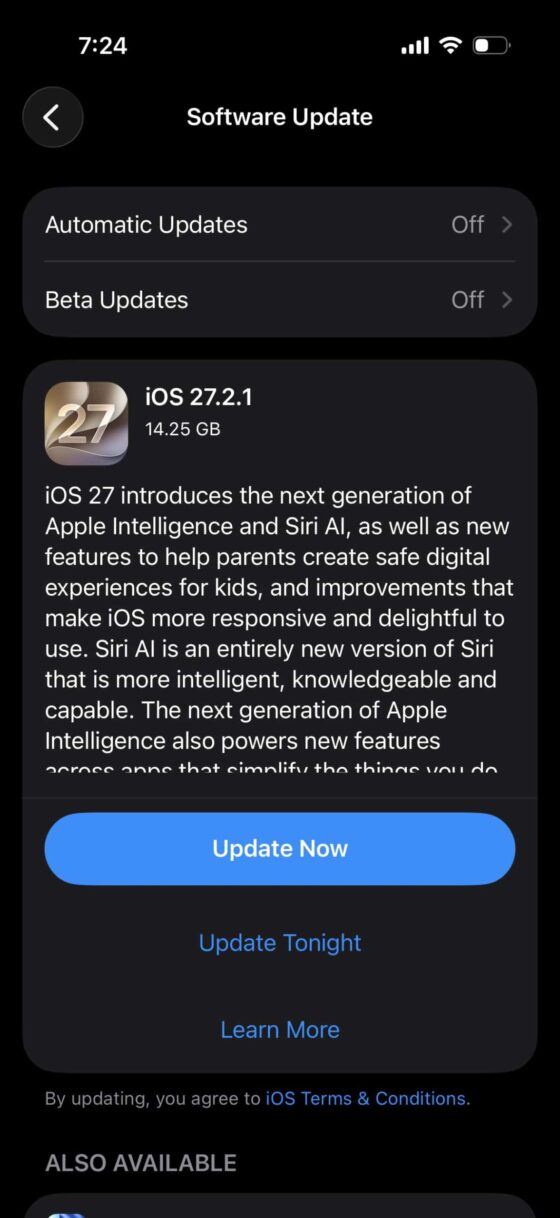
Apple has released iOS 27.2.1 update, and this one is more important than a regular bug fix. If you are wondering whether you should update your iPhone, iPad, or Mac right now, the short answer is yes.
The update mainly focuses on security. It also rolls out to older versions so people who are still on iOS 18 or iOS 26 can get the same protection without upgrading to the latest full version.
Table of Contents
Why Is the iOS 27.2.1 Update Important?
Recently, hackers managed to get access to the private keys of a digital certificate company based in India. With those keys, attackers could create fake websites that look exactly like real banks or financial sites.
Kevio: Family Medicine Tracker
No more missing of Medications, Tests and Doctor Appointments. Let Kevio keep a track of it, and Remind you right on time. Take Prescriptions, Blood Tests, Injections right on time with Kevio.
This makes it easier for them to steal login details. To stop this, Apple has blocked the affected certificates at the server level. Once you install iOS 27.2.1, your device will not trust those compromised certificates anymore.
What Devices Get the iOS 27.2.1 Update?
The security patch is available for iPhone, iPad, and Mac. Apple is also pushing the same fixes to people who are still running older software like iOS 18 or iOS 26.
This means you do not have to jump to the newest iOS version just to stay protected. You can stay on your current version and still receive these important security updates.
Does iOS 27.2.1 Fix Battery Drain?
Apple’s official release notes for iOS 27.2.1 are almost the same as the previous 27.2 update. There is no clear mention of battery improvements.
However, some users who were facing sudden battery drain after earlier updates have reported better battery life after installing this version. It is not guaranteed, but it is possible that the update also clears some background issues that were draining the battery.
Why Mac Users Should Update Quickly
For Mac users, this update is especially important. Without the patch, normal web browsing and using regular apps could leave your data exposed to the same certificate issue.
Apple has marked the macOS version of this update as a high priority. If you use your Mac for banking, shopping, or logging into accounts, it is better to install the update as soon as possible.
How to Install iOS 27.2.1
Go to Settings – General – Software Update on your iPhone or iPad. On Mac, open System Settings – General – Software Update.
If the update is available, download and install it. The process is usually quick because it is a small security update.
Spensio Expense Tracker for iPhone
Track your Expenses, Subscriptions, Loans and EMIs all in One App. Try Spensio for iPhone Free today.
Final Thoughts
iOS 27.2.1 is a security-focused update that protects your iPhone, iPad, and Mac from a real certificate issue. It is also available for older software versions, so almost everyone can get the fix.
Even if you are not facing any problems right now, it is a good idea to install it. Security updates like this one are better installed sooner rather than later.
Have you already updated to iOS 27.2.1? Did you notice any changes in battery life after installing it? Let me know in the comments.