
I started to see the green dot on Dynamic Island and it randomly appears when you open and close different apps on my iPhone. If you are experiencing similar problem, then follow these simple steps to fix it.
Many started to see the camera app turned on in the background while using Instagram, YouTube, Facebook and other apps. It disappears on its own.
This green dot means the camera is being used or was recently used. In most cases it is not dangerous, but it is annoying. Here is how to stop the green dot from appearing on Dynamic Island.

Kevio: Family Medicine Tracker
No more missing of Medications, Tests and Doctor Appointments. Let Kevio keep a track of it, and Remind you right on time. Take Prescriptions, Blood Tests, Injections right on time with Kevio.
Table of Contents
Why Does the Green Dot Appear on Dynamic Island?
Apple shows a green dot when any app is using the camera. An orange dot means the microphone is active. On iPhones with Dynamic Island, these privacy indicators appear right inside the Dynamic Island area.
When the green dot keeps appearing randomly, it is usually because the Camera app is still running in the background, another app has camera permission, or a software glitch is happening.
How to Fix Green Dot on Dynamic Island
1. Force Close the Camera App
You can swipe up from the bottom of the screen to open the App Switcher or Multitasking View. Swipe up the Camera app to close it fully. Wait for few minutes and see if the green dot on Dynalic Island comes back.
2. Force Restart Your iPhone
You can force restart your iPhone following these simple steps. If the green indicator keeps turning ON
-
Quickly press and release the Volume Up button
-
Quickly press and release the Volume Down button
-
Press and hold the Side button until the Apple logo appears
This clears temporary bugs that can cause the green dot to appear.
3. Check Camera Permissions for Apps
Go to Settings – Privacy & Security – Camera. Look through the list and turn off camera access for any apps you do not use. Do the same under Microphone if you also see an orange dot sometimes.
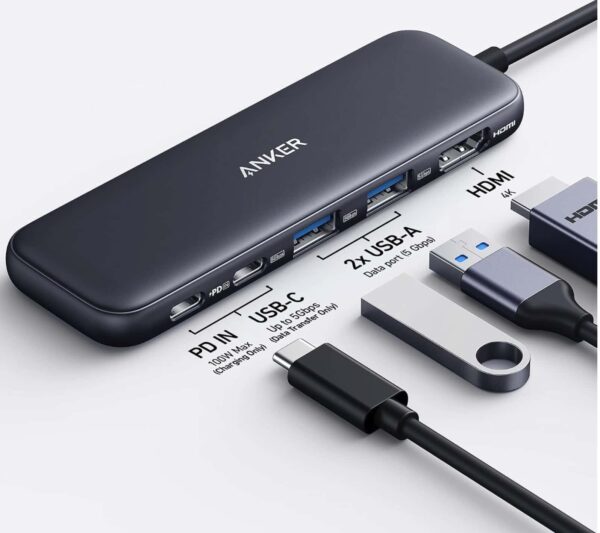
Anker 5 in 1 USB C Hub
85W Max PD, 1 Powered USB-C 5Gbps & 2 Powered USB-A 3.0 5Gbps Data Ports, for MacBook Pro, MacBook Air, Dell and More (Black)
4. Turn On App Privacy Report
If you are still unable to figure out the actual reason why the green dot is on dynamic island and want to monitor which app is using it in the background, go to Settings – Privacy & Security – App Privacy Report and turn it ON.
Use your iPhone normally for a day or two, then check which apps accessed the camera. This helps identify the exact app triggering the green dot on Dynamic Island.
5. Update iOS
Some versions of iOS have small bugs that make the green dot appear randomly. Go to Settings – General – Software Update and install any available update.
6. Check Eye Tracking
If the green dot stays on almost all the time, go to Settings – Accessibility and check if Eye Tracking or Head Tracking is turned on.
These features use the camera continuously and keep the green indicator visible. Turn them off to remove the green dot.
Final Thoughts
The green dot on Dynamic Island is a privacy feature that shows when the camera is in use. When it appears randomly, force closing the Camera app and checking app permissions fix it for most people. App Privacy Report is useful if the problem continues.
Have you seen the green dot appear on your Dynamic Island without using the camera? Which step fixed it for you? Let me know in the comments.